1
DCN Next Generation Synoptic Microphone Control
en | 3
Table of contents
1
Synoptic Microphone Control ............................. 4
1.1
About Synoptic Microphone Control................. 4
1.1.1 What is Synoptic Microphone Control? ........... 4
Layout mode ............................................................ 4
Control mode........................................................... 4
1.2
What is a synoptic layout?................................... 4
1.2.1 Making a graphical representation ..................... 4
1.3
Controlling microphones ...................................... 4
1.3.1 Conference procedures........................................ 4
1.3.2 Microphone operation modes ............................. 4
Microphone control by operator with request
list ............................................................................... 5
Microphone control by operator with request
and response list .................................................... 5
Microphone control by delegate with request
list ............................................................................... 5
Microphone control by delegate with override 5
Microphone control by delegate with voice
activation................................................................... 5
2
Getting started............................................................ 6
2.1
Starting Synoptic Microphone Control ............. 6
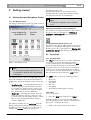
2.1.1 The Startup screen ................................................ 6
Selecting an installation- (and a names) file..... 6
The Synoptic Microphone Control icon ............ 6
2.2
Using Help ............................................................... 6
2.2.1 The Help menu........................................................ 6
2.2.2 Index .......................................................................... 6
2.2.3 Keyboard .................................................................. 7
2.2.4 Commands............................................................... 7
2.2.5 Procedures............................................................... 7
2.2.6 Glossary.................................................................... 7
2.2.7 Using Help ............................................................... 7
2.2.8 About ......................................................................... 7
3
Preparing for a conference .................................. 8
3.1
Using layout mode.................................................. 8
3.1.1 The main window.................................................... 8
3.1.2 The menu bar........................................................... 8
3.1.3 The tool box ............................................................. 8
3.2
Making a layout ....................................................... 9
3.2.1 Layout Options........................................................ 9
3.2.2 Microphone seat numbers.................................... 9
Displaying seat numbers....................................... 9
Automatic seat numbering ................................... 9
Small or large icons ............................................... 9
Displaying a red background for active
microphones ............................................................ 9
Displaying a layout grid ......................................... 9
Snapping to the grid............................................10
Rotating icons .......................................................10
3.2.3 Positioning icons on a layout .............................10
3.2.4 Editing icons in a layout ......................................10
Deleting icons........................................................10
Cutting and pasting icons ..................................11
Copying and pasting icons ................................11
3.3
3.3.1
3.3.2
3.4
3.4.1
3.5
4
4.1
4.1.1
4.1.2
4.1.3
4.2
4.3
4.3.1
4.4
4.4.1
4.5
4.6
4.7
4.7.1
4.7.2
Bosch Security Systems B.V. | 2005 January | 9922 141 70351
Editing seat numbers .......................................... 11
Altering the default screen line length............. 11
Specifying conference procedures.................. 12
Specifying the microphone operation mode.. 12
Microphone Control By ...................................... 12
Microphone Setting ............................................. 12
Active Mics ............................................................ 12
Specifying additional microphone parameters12
Microphone Activity ............................................. 12
Attention Tone....................................................... 14
Ambient Microphone ........................................... 14
Microphones Off After Shift .............................. 14
Working with layout files .................................... 14
Layout file options ................................................ 14
Creating a new layout file................................... 14
Opening an existing layout file .......................... 15
Saving a layout file ............................................... 16
Saving a layout file under a new name............ 16
Deleting a layout file ............................................ 16
Importing a bitmap ............................................... 16
Going to control mode........................................ 17
Controlling a conference .................................... 18
What is control mode? ....................................... 18
Monitoring and controlling a conference........ 18
Conventions used in this chapter..................... 18
Icon status ............................................................. 18
Control mode display options ........................... 18
Small or large icons ............................................. 18
Displaying seat numbers .................................... 19
Rotate...................................................................... 19
Displaying a red background for active
microphones.......................................................... 19
Using control mode ............................................. 19
Switching microphones on and off .................. 19
Switching microphones on ................................ 19
Switching microphones off ................................ 19
Clearing all requests-to-speak .......................... 20
Action box .............................................................. 20
Accessing conference information .................. 20
Checking the conference status ...................... 20
Returning to layout mode ................................... 20
Printing.................................................................... 21
Microphone testing.............................................. 21
Exiting synoptic microphone control................ 22
Temporarily exiting Synoptic Microphone
Control.................................................................... 22
Permanently exiting Synoptic Microphone
Control.................................................................... 22