1
INSTRUCTIONS:
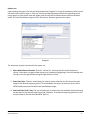
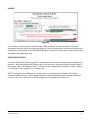
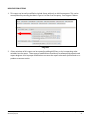
The easiest way to start using this report is to navigate to the automapper. This is a folder that has the
reports automatically mapped to your site, so that you don’t have to map them yourself. You can
navigate to the automapper as shown in Figure 2.1 below:
Figure 2.1
Requests for additional information concerning the report function/design should be directed to
Bowman Systems’ Customer Support Specialist (CSS) staff.
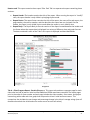
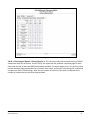
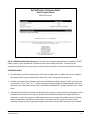
Before running the report: Prior to running the report the User must determine the provider to be
included in the report and a date range on which to base the results. The report includes two date
prompts and takes into account the SSOM exit records that occurred during the date range and the
initial matrix created for each exit matrix record found.
Bowman Systems
ART Gallery Report
Page 2 of 10
407 – SSOM Client Progress Report
v4