1
Home Page
Table of Contents
CHAPTER 2. Installing the OfficeServ 7200
Data Server
This chapter describes the installation and login procedures for the OfficeServ 7200 Data Server.
Software Installation
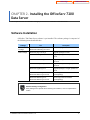
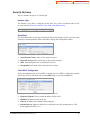
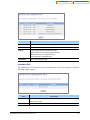
OfficeServ 7200 Data Server software is pre-installed. The software package is composed of
the following items described below:
Package
File
Description
Bootrom
Package
Data Server-bootldr.img-vx.xx
Data Server-bootldr.img-vx.xx.sum
Boot ROM program
Main Package
Data Server-pkg-vx.xx.tar.gz
Upgrade package for HTTP
Data Server-os..img-vx.xx
Upgrade package of ‘OS’ partition for
TFTP
Data Server-firmware.img-vx.xx
Upgrade package of ‘firmware’ partition
for TFTP
Data Server-configdb.img-vx.xx
Upgrade package of ‘configdb’ partition
for TFTP
Data Server-logdb.img-vx.xx
Upgrade package of ‘longdb’ partition for
TFTP
Data Server-flash1.img-vx.xx
Data Server-flash1.img-vx.xx.sum
File to copy to the first flash
memory(fusing)
Data Server-flash2.img-vx.xx
Data Server-flash2.img-vx.xx.sum
File to copy to the second flash
memory(fusing)
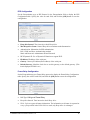
Software Package Configuration
Each package has a separate file for checking the checksum, and x.xx represents the
version.
© SAMSUNG Telecommunications America, L.P.
17