1
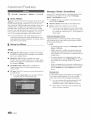
Digital
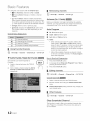
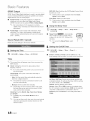
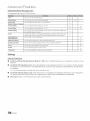
Caption
Options:
(digital
channels
only)
General
Size:
Options
include
Default,
Small,
Standard
and
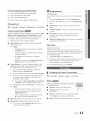
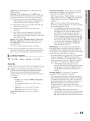
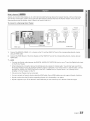
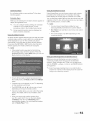
[] Game Mode (Off / On): When connecting to a game
Large.
Thedefault
isStandard,
console such as PlayStation
or Xbox
you can enjoy
Font
Style:
Options
include
Default
and
Styles
0to7.
a more realistic gaming experience by selecting the
Thedefault
isStyle
0.
game menu.
Foreground
Color:
Options
include
Default,
White,
NOTE
Black,
Red,
Green,
Blue,
Yellow,
Magenta
andCyan.
You
canchange
thecolor
oftheletter.
The
default
isWhite.
* Precautions and limitations for game mode
Background
Color:
Options
include
Default,
White,
- To disconnect the game console and connect
Black,
Red,
Green,
Blue,
Yellow,
Magenta
andCyan.
another external device, set Game Mode to Off in
You
canchange
thebackground
color
ofthecaption.
the setup menu.
Thedefault
isBlack.
- If you display the TV menu in Game Mode, the
Foreground
Opacity:
This
adjusts
theopacity
oftext.
screen shakes slightly.
Options
include
Default,
Transparent,
Translucent,
Solid
* Game Mode is not available when the input source
andFlashing.
is set to TV or PC.
Background
Opacity:
This
adjusts
theopacity
of
* After connecting the game console, set Game Mode
thecaption
background.
Options
include
Default,
to On. Unfortunately, you may notice reduced picture
Transparent,
Translucent,
Solid
andFlashing.
quality.
Return
toDefault:
This
option
sets
each
Size,
Font
Style,
Foreground
Color,
Background
Color,
Foreground * If Game Mode is On:
- Picture mode is set to Standard and Sound mode
Opacity
and
Background
Opacity
toitsdefault.
is set to Movie.
NOTE
- Equalizer is not available.
* Digital
Caption
Options
areavailable
only
when
Default
andService1
~ Service6 can be
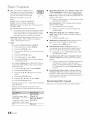
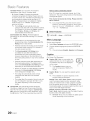
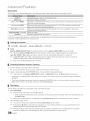
[] BD Wise (Off / On): Provides the optimal picture quality
TM
selected in Caption Mode.
TM,
for Samsung DVD, Blu-ray and Home Theater products
which support BD Wise. When BD Wise is turned On,
the picture mode is automatically changed to the optimal
resolution.
* The availability of captions depends on the
program being broadcasted.
* The Default setting follow the standards set by
the broadcaster.
Available when connecting Samsung products
that support BD Wise through a HDMI cable.
* The Foreground and Background cannot be set
to have the same color.
m
* You cannot set both the Foreground Opacity
and the Background Opacity to Transparent.
Menu Transparency (Bright / Dark): Set the
Transparency of the menu.
[]
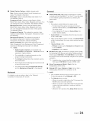
Melody (Off / Low / Medium / High): Set so that a
melody plays when the TV is turned on or off.
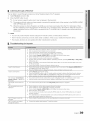
Network
For details on set up options, refer to the "Network
Connection" instructions. (R 24-29)
NOTE
* Only available when the Input source is set to TM
To turn the melody off, set Melody to Off.
* The Melody does not play,
- When no sound is output from the TV because the
MUTE button has been pressed.
- When no sound is output from the TV because the
volume has been reduced to minimum with the
VOL - button.
- When the TV is turned off by Sleep Timer function.
English
21