1
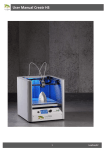
Creatr
1
Table of Contents
Table of Contents ...................................................................................................... 1 Installation .................................................................................................................. 3 Installation of the software ................................................................................ 3 Registration of the software .............................................................................. 6 Quick start and Interface ......................................................................................... 10 Main Toolbar ............................................................................................................ 11 New Project | ................................................................................................... 12 Load Project | .................................................................................................. 12 Save Project | .................................................................................................. 12 Select Part(s) mode | ...................................................................................... 12 Licenses | ........................................................................................................ 13 Settings | ......................................................................................................... 13 Help | ............................................................................................................... 13 Platform .................................................................................................................... 14 New | ............................................................................................................. 14 Import | .......................................................................................................... 14 Unload | ........................................................................................................... 14 Save | .............................................................................................................. 14 Part ............................................................................................................................ 15 Import | ............................................................................................................ 15 Unload | ........................................................................................................... 15 Save | .............................................................................................................. 15 Parts tool sheet ............................................................................................... 15 Part Info tool sheet .......................................................................................... 16 Position ..................................................................................................................... 17 Translate | ..................................................................................................... 17 Rotate | .......................................................................................................... 17 Bottom/Top | .................................................................................................... 18 Rescale | ......................................................................................................... 19 Duplicate | ....................................................................................................... 19 Automatic Placement | ................................................................................... 20 Analyze ..................................................................................................................... 20 Leapfrog Build Processor ....................................................................................... 21 Dialog Relations .............................................................................................. 21 Submit Job dialog ............................................................................................ 24 Configure Printer Dialog .................................................................................. 27 Profile editor Dialog ......................................................................................... 33 Visualize [View toolbar and Tool sheets] ....................................................... 48 View Toolbar .................................................................................................................. 48 Rotate and Pan ............................................................................................... 48 Zooming .......................................................................................................... 50 ISO views ........................................................................................................ 50 Show/Hide ....................................................................................................... 50 Copy to clipboard/Print2D ............................................................................... 50 Part Info ........................................................................................................... 52 www.materialise.com
Materialise – Technologielaan 15 – 3001 Leuven – Belgium