1
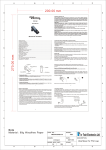
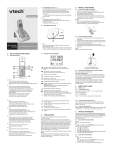
A E D C B 8 8 7 7 Redialing last dialed number (Mobile phones with Handsfree profiles only ) To redial the last number, press and hold S3 until 4 tones are heard. It indicates the redial is active. USB Adapter and BT30M Bluetooth Headset Voice Over Internet Protocol (VoIP) Application Install Software for Bluetooth USB Adapter from the CD-ROM provided in the USB Adapter package. Note that the CD-ROM is not available in the BT30M package. Plug the USB Adapter USB Bluetooth Dongle (purchased separately) into the USB socket of a PC. Download from the corresponding websites and install Skype, MSN messenger, Netmeeting, Yahoo messenger, or ICQ application software in the PC. Pairing: Put the BT 30M Bluetooth Headset into "pairing" mode. Start the Bluetooth software and pair the USB Adapter Dongle with the BT 30M Headset. The Headset passkey is "0000". Connecting and Disconnecting: To connect the USB dongle, press the S1 key on the Headset. To disconnect the Bluetooth link, press the S1 key again. After turn off and turn on the headset, you just need to press S1 key to establish the audio link with USB dongle if the USB dongle is the last used device. Testing the Bluetooth Link: After the USB Adapter Dongle is connect with the BT 30M Headset, the PC audio will be automatically routed to the "Bluetooth Audio" driver. Play some music on the PC by Windows Media Player or other music applications; you should be able to hear the music on the Headset.If you can't hear it,then go the"control Panel"->"Sound and Audio Device Properties"-> "Audio"-> "Sound playback" select the "Bluetooth Audio" to activate the link. Now you can start using the VoIP application and talk to your friend through your Headset wirelessly and freely. Connecting BT 30M Bluetooth Headset back to your Bluetooth mobile phone. Please follow the steps from 'Headset in Pairing Mode' to 'Establishing Bluetooth Link'. Reject a call (Mobile phones with Handsfree profiles only ) To reject a call at the time the BT 30M rings, press and hold S1 until you hear 2 tones. Adjusting Speaker Volume: While a call is ongoing, pressing and releasing S2 will increase the speaker volume and pressing and releasing S3 will decrease the speaker volume on the Headset.There is a key tone to indicate volume increase or decrease. However, a warning tone will be heard when the volume level reaches its maximum or minimum. 6 To wear the headset Make sure the microphone is pointing towards your mouth. 5 6 8 Low-battery indication The BT 30M LED will flash red instead of blue when the battery is low. There will also a short beep periodically. After this indication you still have up to 15 minutes talk time. When the battery level is too low, the Headset will automatically power off. It cannot be powered on again unless the charger is connected or the battery is sufficiently charged. 5 5 Battery recharging To recharge the battery, put the headset on phone holder. During recharging, the LED shows a steady red light. When the battery is fully charged, the indicators of red light will be off . (1) A/C charging (2) Car charging BT 30M The achievable talk time and standby time for the BT30M can vary with different Bluetooth mobile phones due to different implementation of power down modes. Keep the headset away from fire to avoid damage. 4 4 6 ● 3 9 Led Status LED Status 1 x 3 sec. Blue Ready can be accessed by paired devices 1 x 1 sec. Blue Talking Blinking red Battery low (max. 15 Minutes left) Red LED on Under charging Red LED off Fully charged Red/Blue Blinking Pairing-Mode 9 In-Tech Electronics Ltd Unit A, 13/F, Wing Tai Centre, 12 Hing Yip Street, Kwun Tong, Kowloon, Hong Kong. 3 Reminding: - For safety reason, please don't leave the headset in car alone when charging. - When the battery is empty, the LED will not turn on until the headset is charged up, which may take several minutes. 10 7 2 2 Note Material: 80g Woodfree Pater PART NO.: MCB-8127010-0A MODEL: 8127 DRAWN: DATE: July05,2007 1 Limingzan PAPER SIZE: UNIT: MM A3 A B C In-Tech Electronics Ltd. DESCRIPTION: #User Manual(No Logo) SCALE: 1:1 D E 1