1
ActivityInsight Basic User Manual
Welcome to ActivityInsight
ActivityInsight is a fully customizable online information management system designed to organize and report on your
teaching, research, and service activities. APU has adopted ActivityInsight for a variety of functions, including the collection
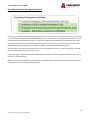
of evaluation data for full‐time faculty who are seeking extended contracts and rank promotions in the Faculty Evaluation
System. The following pages will assist faculty so that they can manage the pages associated with the FES process.
Your ActivityInsight - Login, Username, and Password
My Username is: _______________________________ My Password is: _______________________________
Note: If you have been given a temporary password you will be asked to change that password the first time you login with it.
Login Instructions
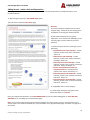
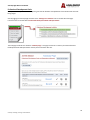
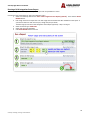
1. Go to one of the 3 ways to log-in.
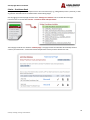
From - home.apu.edu > Faculty Tab > Activity Insight link
From - apu.edu/facultyevaluation/ > Activity Insight link
Direct URL - http://www.digitalmeasures.com/login/apu/faculty/
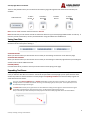
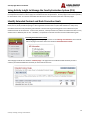
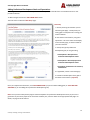
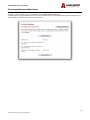
2. Type in your ActivityInsight username and password. If you’re not
sure of your username and password click on the link that says
“Request Your Password”. If your email isn’t found in the system
you will be directed on what actions to take.
3. ActivityInsight runs best on Internet Explorer or Firefox Web
Browsers.
Manage Your Activities
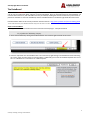
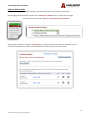
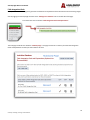
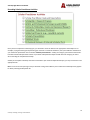
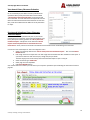
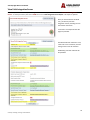
After you log into ActivityInsight you will see the screen shown on the next page. We call this the “Home Page”, which is
your springboard to all the data entry areas in ActivityInsight. When you first visit this “Home Page” screen, it would be
good to spend a few minutes looking through the screen titles accessible from it.
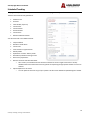
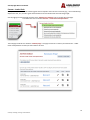
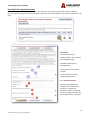
Please note the 3 areas highlighted in the following screen shot.
1. Navigation menu – This area is the only navigational menu in ActivityInsight, the goal is to give you the ability to
simply move throughout the management system.
2. Biographical and APU information – These are the first two sections you should focus on; the data stored in these
pages will in most cases only need to be entered once.
3. Activities information – This section is where ActivityInsight really becomes beneficial to the user. These pages
provide a single convenient place for users to maintain their activity data, access it easily, and to generate reports.
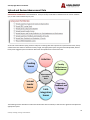
4. Advancement Portfolio Data Section – This final section records all the FES data for advancement.
3
Center for Teaching, Learning, and Assessment