1
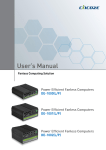
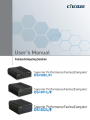
DS-1000(L/P) / DS-1001(L/P) / DS-1002(L/P) Series
Superior Performance Fanless Computer
3.7
3.8
3.9
3.10
3.11
3.12
3.13
3.14
3.15
3.16
3.17
3.18
3.19
3.20
| User’s Manual
Installing a SATA Hard Drive on Top Side ……………………………. 68
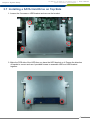
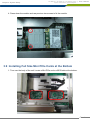
Installing a Half Size Mini PCIe Card on Bottom Side …..…….….... 69
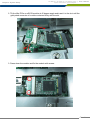
Installing a Full Size Mini PCIe Card on Bottom Side …..………...... 71
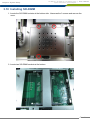
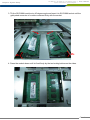
Installing SODIMM ………….……………………..….……………....... 73
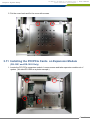
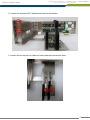
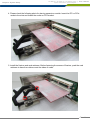
Installing the PCI/PCIe Cards on Expansion Module ……………….. 75
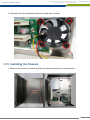
Installing the Fan for Expansion Module ……………………………… 78
Installing the Chassis ………….…………..………..….…………….... 79
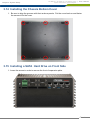
Installing the Chassis Bottom Cover …..…………..….…………….... 81
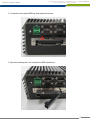
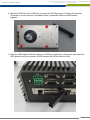
Installing a SATA Hard Drive on Front Side ….…..….…………….... 81
Installing a SIM Card ………………………………..…………………. 84
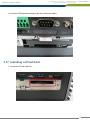
Installing a CFast Card ………………………………………………… 85
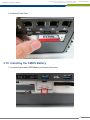
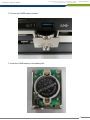
Installing a CMOS Battery ….………………………………………….. 86
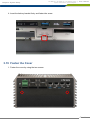
Fasten the Cover …...……….………………….…..….……………….. 88
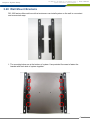
Wall Mount Brackets ..……….………………….…..….…………….... 89
Chapter 4 BIOS Setup
4.1
4.2
4.3
4.4
4.5
4.6
4.7
BIOS Introduction ……..……….………………….…..….…………... 92
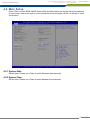
Main Setup ……..……….………………….…..….…………………... 93
4.2.1 System Date ….………………………………………………….. 93
4.2.2 System Time ….………………………………………………….. 93
Advanced Setup ...……….………………….…..….…..……………... 94
4.3.1 PCI Subsystem Settings ……………………….……………….. 94
4.3.2 ACPI Settings …..…….………………………………………….. 97
4.3.3 CPU Configuration ………………………………………………. 98
4.3.4 SATA Configuration ……………………………………………… 98
4.3.5 AMT Configuration ………………………………………………. 101
4.3.6 USB Configuration ………………………….....………………… 102
4.3.7 Embedded Controller Configuration …………………………… 103
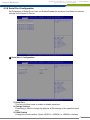
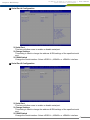
4.3.8 Serial Port Configuration ………………………………………… 104
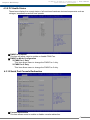
4.3.9 PC Health Status ………………………………………………… 108
4.3.10 Serial Port Console Redirection ……………………………….. 108
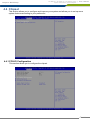
Chipset ……………………………………………………………………. 109
4.4.1 PCH-IO Configuration …………………………………………… 109
4.4.2 System Agent (SA) Configuration ……………………………… 112
Boot ………………………………………………………………………. 115
4.5.1 Setup Prompt Timeout ………………………………………….. 115
4.5.2 Bootup NumLock State …………………………………………. 115
4.5.3 Quiet Boot ……………………………………………………….. 115
4.5.4 Launch PXE OpROM Policy …………………………………… 115
4.5.5 Boot Option Priorities …………………………………………… 115
Security …………...……….………………….…..….…..……………... 116
4.6.1 Administrators Password …….………………………………….. 116
4.6.2 User Password …….……………………………………,,………. 116
Save & Exit …...……….….………………….…..….…..….…………... 117
4.7.1 Save Changes and Exit …………………………………………. 117
4.7.2 Discard Changes and Exit ………………………………………. 117
4.7.3 Save Changes and Reset ……………………………………..... 117
4.7.4 Discard Changes and Reset ……………………………………. 117
4.7.5 Save Changes ……………………………………………………. 117
4.7.6 Discard Changes …………………………………………………. 117
4.7.7 Restore Defaults …………………………………………………. 117
4.7.8 Save as User Defaults ……………………………………………117
4.7.9 Restore User Defaults ………………………..…………………. 117
3