1
4
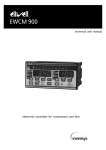
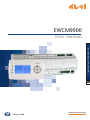
EWCM9900
EWCM9900
Electronic controller for compressor packs on 18-Din Rail
GENERAL DESCRIPTION • USING THE MANUAL • WARNINGS
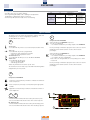
EWCM9900 18DIN are a family of controllers dedicated to the control of
the machine room of a refrigeration plant, with simple, multistage or
variable power compressors.
Characteristics
• Up to 19 completely configurable relay outputs for controlling simple,
multistage or various power compressors and condenser fans
• Up to 3 analogue outputs for controlling INVERTER compressors and
INVERTER fans
• Up to 3 inputs with pressure transducers for the compressor section and
the fan section
• Up to 4 temperature inputs for NTC probes configurable as voltage free
digital inputs.
• Up to 14 voltage digital inputs and 6 voltage free digital inputs
configurable for plant diagnostics and Energy Saving functions.
• Compatibility with a vast range of refrigerants.
• Built-in clock (RTC).
Functions
• INVERTER control of compressors and fans
• Proportional Control, PID and Dead Band.
• Selection of homogenous power compressors and fan rotation policies
• Algorithms for Energy Saving.
• Two programmable Setpoints: normal and reduced regime.
• Dynamic suction and delivery setpoints
• Time band management.
• Management of probe alarms and minimum and maximum pressure
switch alarms both for the compressors section and for the fans section
• Full alarm handling (self-diagnostics and alarms log).
• Operational log handling.
• Upload/download parameters, alarms log, operational logs and glossaries
with USB Copy Card.
• Safety system which, in case of EWCM failure, activates an alarm output
to deviate machine room control to an emergency system which ensures
minimum operation until technical service is possible.
Navigation and programming
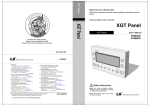
• User-friendly LCD graphic keyboard.
• Menu navigation.
• Quick access menu for immediate status display and setting main
operating parameters.
• Display and setting of programmable parameters in Bar, PSI, °C or °F.
• Reduced set of parameters.
• 3 levels of access to programming parameters.
• Quick Start Menu for quick and easy configuration.
• Keystroke function activation
from Remote control
• Connections for TelevisSystem or Modbus RTU remote control systems.
• Display (and modification with the correct privileges) online, with an
internet browser, of parameters, states and alarms.
Mounting
• Mounts to 18DIN rail (power board) and panel (keypad).
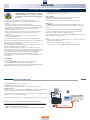
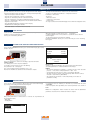
All machine status control and configuration operations can be performed
using the supplied LCD keypad. Menu navigation is user-friendly: two
languages are available as standard (English + local language) defined
according to the product code.
The configuration and maintenance of the device is protected by several
levels of passwords which hide/protect access, for authorised persons only.
The Administrator Menu is dedicated to the System Administrator and
permits access to the Quick Start Menu and all configuration and
operational parameters: the Administrator will also manage the access
passwords for the users and experts (installers and technicians).
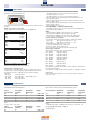
The Quick Start Menu is dedicated to initial configuration of the
machine/system and permits quick and efficient assignment of the system’s
resources.
The Service Menu is typically intended for use by the Administrator and
Technical Service and allows use of the USB Copy Card (see appropriate
chapter) and utilities diagnostics and control.
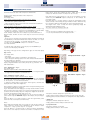
However, any user can use the function keys and navigation keys to
monitor the status of the system, display alarms, activate functions, etc.
without the aid of passwords.
The Clock and Time Bands Menu also allows the user to set the date and
time and to control use of the plant, using a weekly calendar.
IMPORTANT WARNINGS
The availability and access to information is determined by the model in
use and the settings made by the Administrator.
The System Administrator is responsible for enabling access to the various
menus for qualified staff who are charged with installing and servicing the
system.
The high degree of configurability of the system requires that the system
and its applications be thoroughly studied for the device and system to
operate at their best.
For any doubts/information, contact Eliwell Technical Service.