1
VX3230 U-Boot User Manual
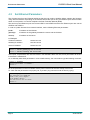
Environment Parameters
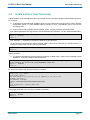
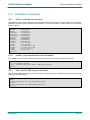
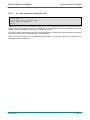
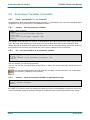
serialconf
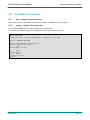
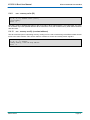
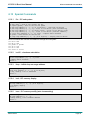
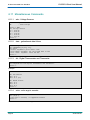
By default, U-Boot firmware on the VX3230 uses serial line 0 for the console. It can be changed to serial line
1 using the variable serialconf.
In RESCUE mode, the console remains on serial line 0.
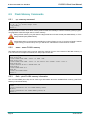
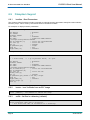
To change to serial line 1:
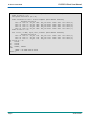
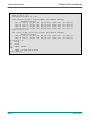
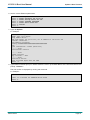
VX3230 => setenv serialconf 1
VX3230 => saveenv
VX3230 =>
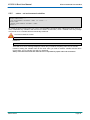
To change to back to serial line 0, just remove the variable:
VX3230 => setenv serialconf
VX3230 => saveenv
VX3230 =>
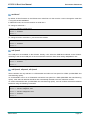
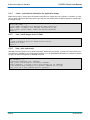
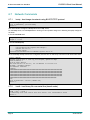
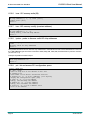
usb1panel
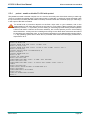
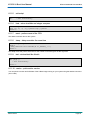
Two USB ports are available on the VX3230. Usually, usb1 drives the USB flash soldered on the VX3230.
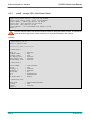
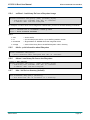
Switching to the second USB port on the rear transition module is done when setting usb1panel to rear:
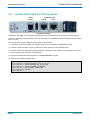
VX3230 => setenv usb1panel rear
VX3230 => saveenv
VX3230 =>
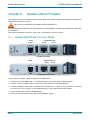
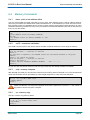
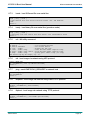
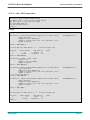
usb0panel, ethpanel, eth1panel
These variables are only relevant on a VX3230/SA card without a front panel for a PMC (no XMC/PMC slot
manufacturing option).
On a VX3230/RC card or on a VX3230/SA card with a front panel for a PMC (XMC/PMC slot manufacturing
option), usb0 and both ethernet interfaces are automatically directed to the rear transition module.
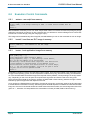
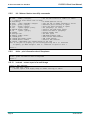
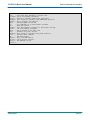
On a basic VX3230/SA card (no XMC/PMC slot manufacturing option), user can redirect usb0 and/or ethernet
interfaces using the following commands:
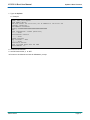
VX3230 => setenv usb0panel rear
VX3230 => setenv ethpanel rear
VX3230 => setenv eth1panel rear
VX3230 => saveenv
VX3230 =>
SD.DT.F46-0e
Page 13