1
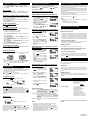
LISTENING TO THE RADIO 1. Press " BAND / TUNER ON " button to turn on the Radio. 2. Press " SKIP- / TUNING " or " SKIP+ / TUNING " button to tune into a station. To Tune Faster VARIOUS PLAYING MODES DIGITAL ANTI-SHOCK SYSTEM During playback, every time the " PLAY MODE/STEREO " button is pressed, the mode will change to the next one as follows: NORMAL play -> ( ) Repeat One -> ( ALL -> INTRO -> SHUFF ) Repeat Hold down the " SKIP- / TUNING " or " SKIP+/ TUNING " button. While the button is being held, the frequency will change faster. Normal Play - Playing the Whole Disc To Search for a Station Quickly (AUTO Search) Repeat Playback (Repeat One and Repeat All) Keep the " SKIP - / TUNING " or " SKIP + / TUNING " button pressed until the tuner starts searching for a station. After tuning into a station, the search stops. To stop the Auto Search manually, press the " SKIP - / TUNING " or " SKIP + / TUNING " button. The Auto Search may not stop at stations with very weak signals. To repeat the same track, press " PLAY MODE/STEREO " button during play until " " appears in the display window. Select desired track to be played repeatedly by pressing " SKIP - / TUNING " or " SKIP + / TUNING ". To repeat the whole disc Press " PLAY MODE/STEREO " button " appears during play until " in the display window. To Turn Off the RADIO Press " " button to turn off the Radio. Presetting RADIO Station You can tune into a stored station directly by entering the preset number. 10 stations on AM band can be presetted. 20 stations on FM band can be presetted. 1. Press " BAND/TUNER ON " button to select AM or FM band to listen to the Radio. 2. Press " SKIP - / TUNING " or " SKIP + / TUNING " button to tune your desired station. 3. Press " PROGRAM/MEMORY " button till " PGM " flashes in the display window. 4. Press " PRESET UP " or " PRESET DOWN " button to select the desired number. 5. Press " PROGRAM/MEMORY " button to store the station. 6. Repeat steps 2 to 5 to preset other stations. Tuning Into a Preset Station The CD is played once from beginning to end. Intro Play - Playing the First Ten Seconds of All the Selections 1. Press " PLAY MODE/STEREO " button during play until " INTRO " flashes in the display window. 2. Press " play. " to begin the " INTRO " 3. Press " PLAY MODE/STEREO " button to cease the INTRO play and continue playback in the NORMAL play mode. INTRO play always starts from the first track. The Digital Anti-Shock System incorporates a special electronic circuit that prevents sound from skipping when the unit is subject to shocks and vibration during play. When the unit receives a physical shock which prevents the laser pick-up from " reading " the CD, this system immediately starts playing the sound stored in its memory and continues until the laser pick-up recovers. If the unit is subject to continuous shocks and all the data stored in memory is used up the sound will skip. If the vibration stops then the data memory will be restored. To reset the CD player, press " " once. Note: Under some conditions, noise may be heard or sound skipping may occur. -when the disc is dirty or scratched. -when the disc contains certain signals. TROUBLESHOOTING GUIDE Should any problem persist after you have made the following checks, consult your nearest service facility. Disc play does not start: The disc is inserted upside down or incorrectly. Insert the disc correctly with the label surface up Dusty or defective disc Dirty or dusty lens The disc compartment lid is not closed Moisture condensation -> Leave the unit in a warm place until the moisture evaporates The AC power adaptor is not plugged into the wall outlet The unit is not placed on a level surface Weak batteries No sound from the headsets: The headphones/earphones plug is not firmly connected to the PHONES jack Adjust the VOL control Dirty plug Skipping of sound: Press the " PRESET UP " or " PRESET DOWN " button repeatedly to select the desired preset station. SHUFF (Shuffle) Play - Playing the Selections in Random Order Dirty or defective disc Dirty lens Strong vibration For Better Reception 1. Press " PLAY MODE/STEREO " button during play until " SHUFF " flashes in the display window. Use alkaline batteries and not manganese batteries. 2. Press " " to begin the SHUFF play. To locate the beginning of the track being played: press "SKIP-/ TUNING " . To locate the next track: press " SKIP+ / TUNING " ". However, you cannot locate a previous track even if you press "SKIP - / TUNING". No disc , dirty disc or scratched disc. The unit will return to full stop mode after approx.30 seconds, or reset the player by pressing " " once and then insert a disc to start playing. FM: To improve FM reception, extend the earphone cord. AM: To improve AM reception, rotate the unit. Note: During listen to the radio, you can press " PLAY MODE/STEREO " button to select stereo broadcast. While the reception is good, the " " icon will appear in the display window. PGM (Program) Play - Playing the Selections in the Desired Order DISC PLAYING 1. Open the CD door by sliding the " OPEN " button. 2. Insert the CD with the printed side facing upwards and push the disc gently until it clicks so that the disc fits into the pivot. 3. Press the CD door to close. 4. Press the " " button to play " CD ". Note: To play an 8 cm (3-inch) disc, you can play it without an adaptor. On Display Window When you press " ", the display window shows: 1. Press " PROGRAM/MEMORY " button until " PGM " flashes and " " appears in the display window. 2. Press " SKIP- / TUNING " or " SKIP + / TUNING " button to select the desired selection. 3. Press " PROGRAM/MEMORY " button to store this track in memory. 4. To add additional track(s), repeat steps 2 and 3. When using with batteries the battery life is short: The unit can not be operated: MAINTENANCE Cleaning the unit Do not use volatile chemicals on this unit. Clean by lightly wiping with a soft cloth. Cleaning CD If the CD skips or will not play, the disc may need to be cleaned. Before playing, wipe the disc in a circular motion from the centre out with a cleaning cloth. After playing, store the disc in its case. Handling the disc Only touch the CD on the edge to avoid finger prints on its surface. Do not stick paper or tape, or write anything on the surface. SPECIFICATIONS Power requirements 2 "AA" size (LR6 or UM-3) alkaline batteries, or DC IN 6V, 350mA power adaptor Polarity of plug Operating voltage: U.S.A., Canada: 120V AC ± 5% (AC adaptor) 60 Hz Middle East and Australia: 240V AC ± 5% 50 Hz UK and Germany: 230V AC ± 5% 50 Hz Chile: 230V AC ± 5% 50 Hz Singapore,Malaysia & Thailand: 200-240V AC ± 5% 50 Hz Japan: 100V AC ± 5% 50/60Hz 5. Press " ", " PGM " stops flashing and play starts. During Playback The track number of the current selection appears. When " " is pressed during playback, total number of tracks on the disc will be displayed and the unit is in standby mode. If " " is " is pressed again the unit will return to full stop mode. If " pressed the unit returns to play mode. The unit will return to full stop mode automatically after approximately 30 seconds if no button is pressed. During Pause The current track time flashes. Pause mode of the first track When no disc is inserted into the player and when " " is pressed, the display window shows " " and " ". The unit cannot be operated when " no disc " message is displayed. After approx.30 seconds the unit will return to full stop mode, or reset the player by pressing " " once and then insert a disc to start playing. To Edit Program Play: To check: Press " PROGRAM / MEMORY " button lightly during programming before you press " ". Each time "PROGRAM / MEMORY" button is pressed, the track number appears in the display window. To change: When checking, press either " SKIP - / TUNING " or " SKIP + / TUNING " button to alter the track number for the program currently displayed. Press "PROGRAM / MEMORY " button to register the newly selected track into memory. To delete: When open the CD door including that program will be cancelled. Notes: Design and specifications are subject to change without notice. Repeat play, intro play can be performed during program. PGM play cannot be set in SHUFF play mode. The program is also erased when the disc compartment is opened or the auto power off function turns the power off. If the program mode is exited by means of the " " button, all the programs would still remain in memory. During the program play, the AMS operates in the programed order. (AMS-auto music sensor). Printed in CHINA 811-821691-040