1
DevCom2000 Mobile User Manual
Table of Contents
QUICK START .....................................................................................................................................1
1
Introduction ......................................................................................................................................4
1.1
Acronyms and Definitions ...................................................................................................4
1.2
Conventions Used in This Manual .......................................................................................4
1.3
Document Organization .......................................................................................................5
1.4
Getting Help .........................................................................................................................5
2
Overview of DevCom2000 Mobile .................................................................................................6
3
System Requirements.......................................................................................................................7
4
DevCom2000 Mobile Installation....................................................................................................8
5
6
4.1
Prerequisites .........................................................................................................................8
4.2
Installing the DevCom2000 Mobile Application.................................................................8
4.3
Activating DevCom2000 Mobile.........................................................................................9
4.4
Bluetooth Settings on the Mobile ......................................................................................12
4.5
Connecting to the HART Network ....................................................................................15
4.6
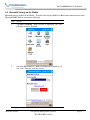
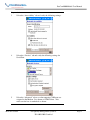
Uninstalling the DevCom2000 Mobile Application ..........................................................15
Using DevCom2000 Mobile ..........................................................................................................17
5.1
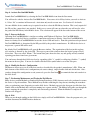
Starting DevCom2000 Mobile ...........................................................................................17
5.2
Getting Familiarized with DevCom2000 Mobile Explorer ...............................................19
Functions and Basic Operations.....................................................................................................22
6.1
Overview ............................................................................................................................22
6.2
Viewing Device Configuration (typical, actual view may change based on DD) .............22
6.3
Configuring Device Information........................................................................................24
6.4
Calibrating HART Field Devices.......................................................................................33
6.5
Viewing the Device and Communication Status ...............................................................33
6.6
Saving Device Configuration To Memory ........................................................................35
6.7
PC Interface to Mobile .......................................................................................................36
6.8
DD Library Updates ...........................................................................................................37
Appendix A Troubleshooting Guide ...................................................................................................36
Appendix B Mobile Data Input Guide ................................................................................................37
Appendix C Contact Information.........................................................................................................39
MAN-1017 8/9/2011
Our Quality Management System is
ISO 9001:2008 Certified
Page 3