1
Administrative Advice for UNIX
3
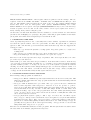
ERROR DURING WRITE CHECK.’’ Error-register values are printed below the message. The two
registers of interest are RPER1 and RPEC2. A RPER1 value of 1000000 indicates ECC (no other
bits on). The RPEC2 register describes the bit span of the error. For example, RPEC2=003774
means that there was an unacceptable 9-bit (binary 0000011111111100) error burst;
RPEC2=000240 is an acceptable 3-bit span (0000000010100000there may be zero bits mixed in).
If such acceptable errors account for all ‘‘unrecoverable’’ errors reported (and there aren’t too
many of them), then you have a flag-free pack.
On the VAX, even this scant information was not available, so we have written our own formatter
(it tells its tale in English); see rp6fmt (8). We plan to make this program available in the future
(along with other UNIX-oriented diagnostics) for the PDP-11 as well.
7. PROTECTING USER FILES
Users, especially inexperienced ones, occasionally remove their own files. Open files are sometimes
lost when the system crashes. Once in a great while, an entire file system will be destroyed
(picture a disk controller that goes bad and writes when it should read). Here is a suggested file
backup procedure:
•
•
•
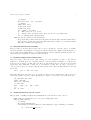
Each day, copy all user file systems to backup packs. Keep these packs 3 to 5 days before
re-using them.
Once a week, copy each file system to tape. Keep weekly tapes for 8 weeks.
Keep bi-monthly tapes ‘‘forever’’ (they should be re-copied once a year).
The most recent weekly tapes should be kept off premises. The other tapes should be in a fireproof safe, if you can afford one.
When UNIX goes down, active files can get scrambled. Your users will not want to start the day
over every time your system fails. In addition to good backup, you must have file-system patching
expertise available (on-site or on-call). If you ever re-boot the system for general use without
checking out the file systems, terrible things will happen (we once had five duplicate entries on a
file-system free list−this ruined over 100 new files in just three days). Study fsck (1M) and
crash(8), as well as FSCK-The UNIX/TS File System Check Program.
8. UNIX FILE SYSTEM BACKUP PROGRAMS
The following backup programs are distributed:
•
•
•
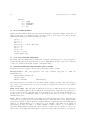
Dump/restor : This is a familiar tape-based system that has been used for several years. Full
dumps are usually taken when the dump program warns that an incremental dump will run
to more than one reel.
Find/cpio: UNIX is distributed in cpio format. The -cpio option of the find command has
made it time-competitive with dump/restor . However, it does not produce a ‘‘perfect’’
restore from a full dump plus incremental dump (new and changed files are OK, but file
removal information is lost). Because of this, full dumps should be taken fairly often
(weekly/bi-weekly). Cpio is the only program listed here that makes system-independent
copies. It can be used to move files between various versions of UNIX/RT and UNIX, and
can be used in system conversion.
Volcopy: physical file system copying to disk or tape. For those who can afford a spare
drive, volcopy to disk provides convenient file restore and quick recovery from disk disasters
(remember the spare drive). Tape volcopy provides good long-term backup because the file
system can be read-in fairly quickly, mounted, and browsed over. Disk and tape volcopy are
generally used together for short- and long-term backup. Volcopy can also be used for full
dumps with either dump/restor or cpio/find .
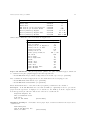
The table below summarizes attributes of these programs. The file system size is 65,500 blocks in
all cases; times are in minutes; judgements are subjective.