1
User Manual
1. Instruction
1-1. Overview
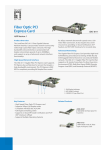
Gigabit Ethernet PCI-64 1000SX/LX Fiber Adapter is a Gigabit Ethernet Board that
fully complies with all IEEE 802.3z and 1000Base-SX/LX standards. Two LED
indicators (LINK/ACT and FDX) on the bracket will help to oversee the board link,
activities and full-duplex status.
Gigabit Ethernet PCI-64 1000SX/LX Fiber adapters support Preboot Execution
Environment (PXE), Remote Program Load (RPL), and Bootstrap Protocol
(BOOTP). Multi-Boot Agent (MBA) is a software module that allows your networked
system to boot with the images provided by remote systems across the network.
1-2. Checklist
Before you start installing the Gigabit Ethernet PCI-64 1000SX/LX Fiber Adapter,
verify that the package contains the following items:
⎯ Gigabit Ethernet PCI-64 1000SX/LX Fiber Adapter
⎯ LAN Driver and User’s Guide CD-ROM
Please notify your sales representative immediately if any of the aforementioned
items is missing or damaged.
2. Installation
2-1.Installing a Network Adapter Card
The following instructions apply to installing the Gigabit Ethernet adapter in
most systems. Refer to the manuals that were supplied with your system for details
about performing these tasks on your particular system.
To install the network adapter card, perform the following procedure:
Warning
Before installing the adapter, ensure the system power is OFF and
unplugged from the power outlet, and that proper electrical grounding procedures
have been followed.
1. High voltage inside the system presents a safety hazard. Make sure the power is
off before removing the cover.
2. Remove the system cover and select any empty PCI-64 slot. See Figure2.
Publication date: July, 2008
Revision A3
1