1
( Picture 5 )
For Mobile Phone:
Insert the 3.5mm plug into the Aux-out port of your mobile phone, play the music on the mobile phone, the
audio signal is transmitted to your car radio. The sound will come out from car speaker system.
How to switch from micro SD card to mobile phone:
1.
Put the micro SD card to the slot, and it will play automatically.
2.
To switch to mobile phone (AUX), connect the mobile phone to the transmitter using the AUX-IN cable,
Playing will switch from micro SD card to mobile phone automatically after a few seconds.
3.
To go back to micro SD card play, pause or stop playing from the mobile phone. Playing will switch back
to micro SD card after a few seconds.
4.
Press the “ ” button to pause/ resume transmission (Does not pause mobile phone, just radio frequency
transmission)
Car Charger for mobile phone or device
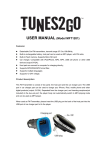
Next to the power port is the USB charging port ( picture 4 ). Connect your mobile phone with the compatible
charging cable to charge your mobile device. The output is 5V/1A.
Remarks: Two cables are included. One is for Apple’s iPhone (for older models, adapter required for iPhone
5), the other with Micro USB connector, for other kinds of smart phones.
For customer service or questions, please contact Sondpex Corp. of America at 877-997-7888 or email to
support@sondpex.com
WARNING: Do not use the power port to charge your mobile phone directly. It’s output
voltage is 12V, you are at the risk of destroying the mobile phone.
iPhone is a trademark of Apple Inc.