1
Bravo Express
4.1.2 By Drag and Drop .....................................................24
4.2 How to restore a Bravo file
25
4.2.1 By Copy and Paste....................................................25
4.2.2 By Drag and Drop .....................................................25
4.3 Save and restore from AS/400 to AS/400
26
4.3.1 By Copy and Paste....................................................26
4.3.2 By Drag and Drop .....................................................26
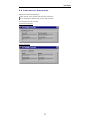
4.4 Progression of a save/restore
27
5. PRESENTATION OF THE SEARCH FUNCTIONS .............................. 28
5.1.1 On the PC .................................................................29
Search parameters for Bravo files .............................................................. 29
Advanced ............................................................................................... 29
5.1.2 On the AS/400 .........................................................30
Object Parameters ................................................................................... 30
Advanced ............................................................................................... 30
5.2 Creating a new search
31
5.3 Run a search
32
5.4 Modify a search
33
5.5 Delete a search
34
6. PRESENTATION OF THE FILTER MANAGER ................................. 35
6.1 Create a new filter
36
6.2 Modify a filter
37
6.3 Delete a filter
38
6.4 Copy a filter
39
7. REFERENCES ...................................................................... 40
7.1 Target release
40
7.2 Update history
41
3