1
Brainstorming with MindMaps
Mind Maps are the structuring elements of Weilgut's MindPlan. In this chapter, you will read how
to create and develop a MindPlan. You will learn the most important principles for designing,
structuring, arranging and positioning the elements of a MindPlan. You will receive examples on
how to arrange information more clearly. You can quickly make a concept from an idea with
MindPlan, which you can readily make available to others - in the form of various files, of
electronic prints or in paper form.
IN THIS PART:
Create new MindPlan.........................................................................3
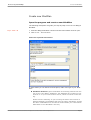
Open the program and create a new MindPlan...................................3
Define the characteristics of the MindPlan.........................................5
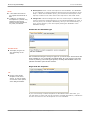
Introduction to the control elements.................................................7
Introduction to control elements on branches....................................7
Introduction to the sidebar menus...................................................8
Create and design branches............................................................10
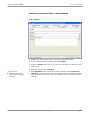
Collect information in the Map.......................................................10
Provide branches with icons..........................................................12
Create several branches................................................................13
Arrange, distribute, and position branches......................................14
Arrange branches ........................................................................14
Position branches.........................................................................16
Copy, open, and close branches.......................................................17
Copy several branches..................................................................17
Open and close branches in a Map.................................................17
Design options for more clarity.......................................................19
Create node style with the sidebar menus.......................................19
Transfer formats with the brush.....................................................22
Design examples for a clear MindPlan.............................................23
Exports............................................................................................24
Start the concept export...............................................................24
Additional exports........................................................................25
Send links to notes via e-mail........................................................25
Print a MindPlan..............................................................................26
Overview of printing options..........................................................26
Print a MindPlan on paper.............................................................27
Print, archive, or send a MindPlan in file..........................................28
MindPlan User Manual Part 1© Haus Weilgut ▪ November 2008 ▪ www.mindplan.com
Page 2