1
Login
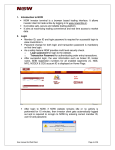
After installation of NOW, an icon named Launch NOW is placed on
the desktop.
• Double click on the icon to start the application.
• Login by entering user name and password as provided.
• The application prompt for change in the password while logging in
for the first time.
• Check on “Confirm Scrip Download” & then check the respective
exchange segment/s to download the securities master.
• Click on login button and thereby continue button for 100% download
of securities master.
• If segments are not checked then securities won’t download the
incremental securities / contract details.