1
Command Line Interface
PrestoAdvancedAD101_AD301_CLI_000_UK
Command Line Interface
Documentation
CLI (command line interface) is a user text-only interface to a computer's operating system or an
application in which the user responds to a visual prompt by typing in a command on a specified line and then
receives a response back from the system.
In other words, it is a method of instructing a computer to perform a given task by "entering" a command. The
system waits for the user to conclude the submitting of the text command by pressing the "Enter" or "Return"
key. A command-line interpreter then receives, parses, and executes the requested user command.
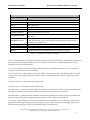
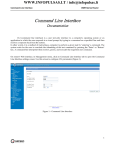
On router's Web interface, in Management menu, click on Command Line Interface tab to open the Command
Line Interface settings screen. Use this screen to configure CLI parameters (Figure 1).
Figure 1 – Command Line Interface
Descriptions and non-contractual illustrations in this document are given as an indication only.
M2M Design reserves the right to make any modification
2