1
5.1. FILES AND DIRECTORIES
CHAPTER 5. ADVANCED USE
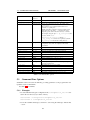
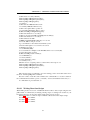
Or, on a typical Windows Vista Windows 7 & 8 system with user “Bob Dobbs”, the user
directory will be:
C:\Users\Bob Dobbs\Appdata\Roaming\Stellarium\
Note: Appdata and Application Data are normally a hidden file
Stellarium version 0.9.0 did use the %APPDATA%\Stellarium folder. Thus if a config.ini
file exists in the %USERPROFILE%\Stellarium\ directory, that will be used in preference to the %APPDATA%\Stellarium\ directory. This is to prevent users of version
0.9.0 from losing their settings when they upgrade.
screenshot save directory Screenshots were once saved to the Desktop, although this can
be changed with a command line option (see section 5.3)2 . They are now directed
to user area eg. Bob Dodds\pictures. In the earlier Windows version this was in the
“Documents and Settings” area which is not accessible in Windows vista or 7/8. In
these versions the User area is”Users” Also the latest versions of Windows 7/ 8 may
not allow saving to existing user area without administrator permission. This access
can be set to allow by editing the permissions table as an adminstrator. If you can’t
find the snapshots look in your config.ini file [main] screenshot_dir = C:/Users/Bob
Dobbs/Pictures
• An alternate method that can be used for screen shots is to use Ctrl-Print Screen.
This will take a snapshot that can be inserted as a new image into a graphics
5.1.2
MacOS X
installation directory This is found inside the application bundle, Stellarium.app.
See the Inside Application Bundles for more information.
user directory This is the Library/Preferences/Stellarium/ sub-directory of
the users home directory.
screenshot save directory Screenshots are saved to the users Desktop.
5.1.3
Linux
installation directory This is in the share/stellarium sub-directory of the installation prefix, i.e. usually /usr/share/stellarium or /usr/local/share/stellarium/.
user directory This is the .stellarium sub-directory of users home directory, i.e.
~/.stellarium/.
screenshot save directory Screenshots are saved to the users home directory.
5.1.4
Directory Structure
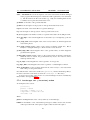
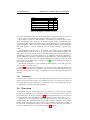
Within the installation directory and user directory (defined in section 5.1), files are arranged in the following sub-directories.
landscapes/ contains data files and textures used for Stellarium’s various landscapes. Each
landscape has it’s own sub-directory. The name of this sub-directory is called the
landscape ID, which is used to specify the default landscape in the main configuration file.
2 Windows Vista users who do not run Stellarium with administrator priviliges should adjust the shortcut in
the start menu to specify a different directory for screenshots as the Desktop directory is not writable for normal
progams. The next release of Stellarium will include a GUI option to specify the screenshot directory.
28