1
5.8. ADDING NEBULAE IMAGES
CHAPTER 5. ADVANCED USE
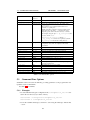
longitude Is the longitude of site of the landscape. Positive values represent East of the
Greenwich Meridian on Earth (or equivalent on other bodies), Negative values represent Western longitude.
altitude Is the altitude of the site of the landscape in meters.
5.8
Adding Nebulae Images
Extended objects are those which are external to the solar system, and are not point-sources
like stars. Extended objects include galaxies, planetary nebulae and star clusters. These
objects may or may not have images associated with them. Stellarium also comes with
a catalogue of 13,224 extended objects containing the combined NGC and IC catalogues,
with images of over 100.
Prior to version 0.10.x to add a new extended object and allow a display of a texture of
that object it was necessary add an entry in the .../nebulae/default/ngc2000.dat
file with the details of the object (where ... is either the installation directory or the user
directory). See section 5.8.1 for details of the file format.
A new method of displaying textures using the “json” cataloguing system was adopted
after 0.10.x that does not need this file for displaying textures. At the same time the Simbad
online catalogue was added to the search feature making it largely redundant and used now
only as a first search point or if there is no internet connection.
If the object has a name (not just a catalogue number), you should add one or more
records to the .../nebulae/default/ngc2000names.dat file. See section 5.8.2
for details of the file format.
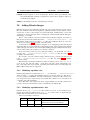
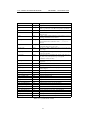
If you wish to associate a texture (image) with the object, you must now add a record
to the .../nebulae/default/textures.json file. See section 5.8.3 for details
of the file format.
Nebula images should have dimensions which are integer powers of two, i.e. 1, 2, 4,
8, 16, 32, 64, 128, 256, 512, 1024 ... pixels along each side. If this requirement is not
met, your textures may not be visible, or graphics performance may be seriously impacted.
PNG or JPG formats are both supported.
5.8.1
Modifying ngc2000.dat
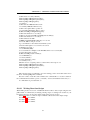
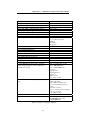
Each deep sky image has one line in the ngc2000.dat file in the .../nebulae/default/
directory (where ... is either the installation directory or the user directory). The file is a
is now a compressed ASCII file, and cannot edited with a normal text editor. However it
is no longer necessary to edit it for any reason. Each line contains one record, each record
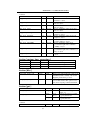
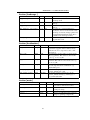
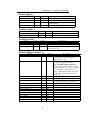
consisting of the following fields:.
Note: This file is now compressed and no longer editable in a text editor. However if
you are connected to the internet it can be overriddien by the simbad data.
5.8.2
Modifying ngc2000names.dat
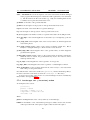
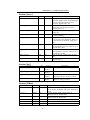
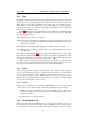
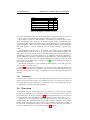
Each line in the ngc2000names.dat file contains one record. A record relates an extended object catalogue number (from ngc2000.dat) with a name. A single catalogue
number may have more than one record in this file.
The record structure is as follows:
Offset
Length
Type
Description
0
35
%35s
Name (Note that messier numbers should be
“M” then three spaces, then the number).
37
1
%c
37