1
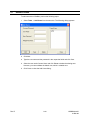
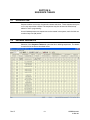
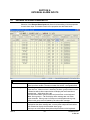
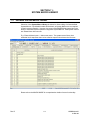
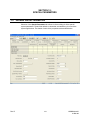
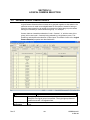
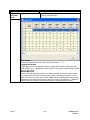
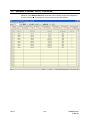
Sequence Tables
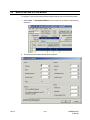
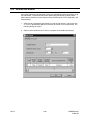
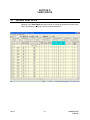
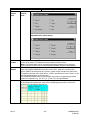
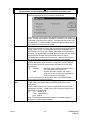
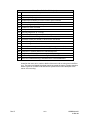
SEQ
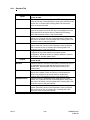
Type
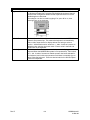
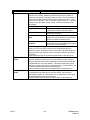
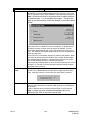
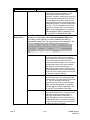
This field serves as a reference number/identifier for the sequence table;
it is not a changeable field.
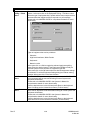
There are three kinds of sequence types available:
•
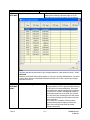
Scan - During a SCAN sequence operation, camera selection entries
are wrapped around when the end of the scan sequence is reached.
This mode of operation continues until the scan sequence is halted.
•
Tour - During a TOUR sequence, the scan sequence is stepped
through only once.
•
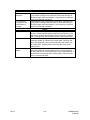
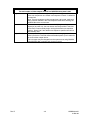
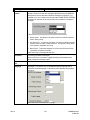
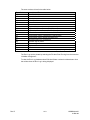
Source Group
Description Text
Sequence
Locked
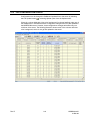
Dwell / 00
01 to 99
Rev. B
Index - When INDEX is selected for this field, it indicates that the
table is used to hold information for complex macro programming.
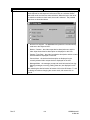
Each Scan sequence or Tour sequence may be allocated a source
group number, this allows the system to control which video output
channels have access to which scan sequences. Source groups are
useful for partitioning access for specific operators.
Note: The default source group is 0, the range of allowable source
groups is 0 – 99.
This is an 18-character description used to identify the scan sequence. It
is displayed on a monitor (or other video output channel with text
insertion) whenever the scan sequence is selected.
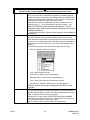
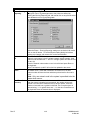
This field provides for control of MAXPRO-Net run-time editing of the
scan sequence. If Yes is entered in this field, then editing from
keyboards is disabled, the default value is No (editing allowed).
When the sequence type is Scan or Tour, this field defines the dwell
time, in seconds, each camera will be displayed before automatically
advancing to the next camera. Valid dwell periods are 1 – 99 seconds.
If the sequence type is defined as Index, then this field becomes table
position 0. The range of entry values is 0 – 9999.
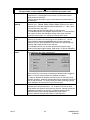
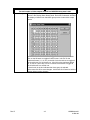
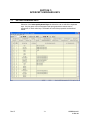
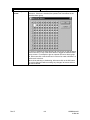
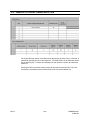
When the sequence type is Scan or Tour, these fields define which
cameras will be automatically displayed. Valid camera numbers are 1 –
9999.
If the sequence type is defined as Index, then these fields are available
for data entry/storage. The range of entry values is 0 – 9999.
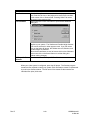
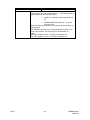
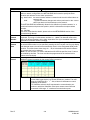
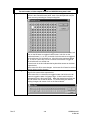
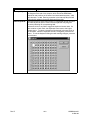
Note:
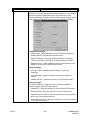
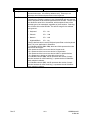
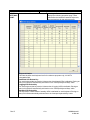
You can shift the cell data of the SetMax columns to left or right.
If you select any cell (in columns starting 01 to 99 under the Sequence
table tab) and press Alt+Insert, then all data in the following cells of the
row shifts by one column right.
And, if you select any cell (in columns starting 01 to 99 under the
Sequence table tab) and press Alt+Delete, then all data in the following
cells of the row shifts by one column left.
5-2
HMXMU001029
31-Mar-06