1
3.
To pause the profile simply use the
keys to move the cursor to the ‘Pause’
option and press the key to confirm. This will pause the timer and extinguish
the remote displays.
4.
To un-pause the system, use the
keys to move the cursor to the ‘Pause’
option and press the key to confirm. This will resume the timer. The remote
displays will illuminate again and resume displaying the time and
colour
DECLARATION OF CONFORMITY
We (Hive Industries Ltd, 28 High Street, Arlesey, Bedfordshire SG15 6RA , UK) declare
under our sole responsibility that the products:
CountDown2
Big Display
Introduction
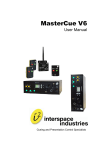
CountDown2 is the ideal product for those events running to tight
schedules. CountDown2 works by displaying either real time or the
elapsed/remaining time on discrete numeric displays for the benefit of a
presenter.
The system can be set to any required duration and can count up or down.
To remind the presenter to summarise and conclude, the display digits can
also be programmed to change colour from Green, to Amber or Red.
A 75mm (3”) tri-colour display option is available for long distance viewing
and an Intelligent lamp option can also be used to only show the colour
change.
CountDown2 Intelligent Lamp
(Part No’s: CD2, CD3INCH, CDIL)
Conform to the following standards:
EN60950-1:2002,
EN50081-1:1992 Class1,
EN50082-1:1992
Following the provision of:
The Low Voltage Directive 73/23/EEC and
The Electromagnetic Compatibility Directive 89/336/EEC
Professional Presenter Timekeeping
We hope that CountDown2 exceeds your expectations and welcome any
feedback that you have about this or any of our products.
Thank you.
The Interspace Industries Team
www.interspaceind.com
Issued on: 1st March 2006
Dave Humphrys,
Managing Director, Hive Industries Ltd
10
3