1
6.9. Restoring a Deleted SubProject
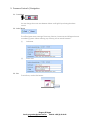
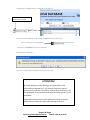
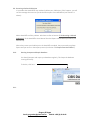
It’s possible that Head Office may accidently delete your SubProject. If this happens, you will
see this message the next time you do the Data Import from Head Office (see section 6.1
above)…
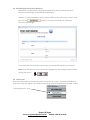
Advise Head Office of this problem. Ask them to refer to Section “6.13 Restoring a Deleted
SubProject” of the Head Office User Manual. Run the Export to Head Office procedure (see
Section 6.8).
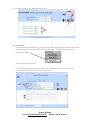
When they restore your SubProject in the Head Office module, they must send you a Data
Export and you must run the Import process (see Section “6.1 Import from Head Office”).
6.10.
Running Compact and Repair Database
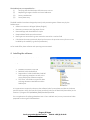
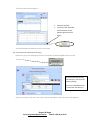
You should compact and repair your database regularly. This keeps the database
running efficiently.
To do this, click here…
6.11.
Gregory D Regan
Email: greg.trader@yahoo.com.au
Mobile: +855 (0) 25 99 95