1
novaNet OPC Server
5
Usage
5.7.1Usage of the control
5.7.1.1
1
2
3
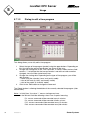
First page
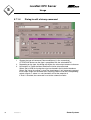
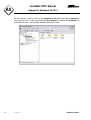
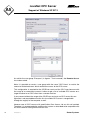
Use the dropdown combo box 'AS' to select an automation station to explore.
Check the status line to see the result of the operation, this line will indicate
whether the selected automation station can be explored.
Select the MFA to be programmed using the 'MFA' input box.
Double-click on the line to be edited from the list. With clicking on <new>, a new
time program will be created.
7001063003 T3
Sauter Systems
33