1
Installation Manual
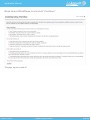
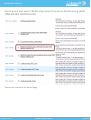
Table of Contents
Introduction........................................................................................................................................... 4
Legal Information ...................................................................................................................... 5
How to get AAkonsult Payments Installed and Running ........................................................... 6
How to order AAkonsult Payments ........................................................................................... 7
What is required beforehand? ................................................................................................... 8
What are the steps to for a complete install? ............................................................................ 9
eCommerce Merchant Facility............................................................................................................ 10
How to obtain a eCommerce Merchant Facility ...................................................................... 11
How to obtain an eCommerce Merchant Facility for Authorize.Net ........................................ 14
AppExchange ..................................................................................................................................... 15
How to download from the AppExchange ............................................................................... 16
How to preview your new AAkonsult Payments product ......................................................... 25
Force.com Sites ................................................................................................................................. 29
How to enable Force.com Sites .............................................................................................. 30
How to create a new Force.com Site ...................................................................................... 34
How to set up error checking for Force.com Sites .................................................................. 38
How to test your site................................................................................................................ 43
How to connect your new site to your Merchant Facility ......................................................... 48
How to add a custom URL - Optional...................................................................................... 53
Security .............................................................................................................................................. 61
How to set up external site security (older version) ................................................................ 62
How to set up external site security (enhanced version)......................................................... 79
How to set up internal security (Salesforce users) .................................................................. 81
Payment Gateways ............................................................................................................................ 84
How to set up Payment Express - standard ............................................................................ 85
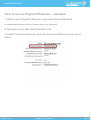
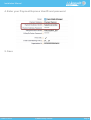
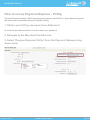
How to set up Payment Express - PxPay ............................................................................... 87
How to set up Payment Express - PxFusion ........................................................................... 90
How to set up PayPal .............................................................................................................. 92
How to setup Authorize.Net .................................................................................................. 100
Address autocomplete and validation .............................................................................................. 101
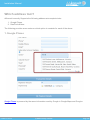
Which address tool?.............................................................................................................. 102
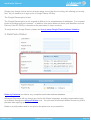
How to setup Google Places Address Validation .................................................................. 105
How to setup DataTools Kleber............................................................................................. 110
How to setup DataTools Kleber for Leads, Contacts and Accounts ...................................... 115
Customisation - Optional .................................................................................................................. 128
How to adjust the Contacts Page layout ............................................................................... 129
How to adjust the Accounts Page layout............................................................................... 131
How to adjust settings for the Not-for-profit Starter Pack ...................................................... 133
How to setup Annual Statements .......................................................................................... 138
Workflows - Optional ........................................................................................................................ 140
Which workflow will suit?....................................................................................................... 141
How to send out first automated reminders - contact level ................................................... 143
Installation Manual
(c) AAkonsult Pty Ltd 2014
Page 2