1
TROUBLE SHOOTING
FOREWORD
CONTENT .......................................................................................................................1
WARNING .......................................................................................................................2
PANELS INSTRUCTION ...................................................................................................3
REMOTE CONTROL .........................................................................................................4
CONNECTION WITH TV ..................................................................................................5
CONNECTION WITH AMPLIFIER ..................................................................................6
SYSTEM CONNECTION ..................................................................................................7
FM OPERATION ...........................................................................................................8-15
BASIC OPERATION...........................................................................................................16
MENU SETUP ..............................................................................................................17-20
SPECIFICATION ................................................................................................................21
TROUBLE SHOOTING .....................................................................................................22
For your convenience, we have listed some methods to solve common problems you
may encounter when using this system. If the problem is not solved please contact the
nearest service center.
Power supply does
not work
Remote does not work
No image on the TV
screen
Part 2: FM Antenna X1
Play is unavailable
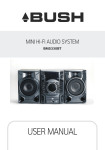
MDHF-900
DVD COMPONENT HIFI SYSTEM
No sound from
speakers
Part 3: Remote Control X1
Part 4: Six-headed Audio&
Video Lotus Wire X1
Solution
Power plug is not fully
inserted into the socket
Fully insert the power plug
into the socket
The batteries are exhausted
ACCESSORIES
Part 1: Speaker X2
Possible cause
Problem
The remote control unit is not
directed at the remote control
sensor
Please aim at the remote
control correctly
The unit is not connected
properly
Reconnect the system
according to the illustration
TV not set in the video mode
Set the TV in video mode
The scanning mode does not
match to the TV scanning
mode
Reset the scanning mode
No disc
Insert a disc
Disc incorrectly inserted
Replace the disc with the
picture upward
Disc is not compatible for
this device
Use a compatible disc
Audio wire is not connected
correctly
Connect the audio wire
correctly
Wrong operation with amplifier
Operating the amplifier
referring to the illustration
Disc is not clean
Replace with a clean disc or
clean the disc with a soft cloth
Part 5: User Manual X1
Discontinuous sound
or distorted pictures
Correct Disposal of this product.
To prevent possible harm to the environment or human health from uncontrolled waste
disposal, recycle it responsibly to promote the sustainable reuse of material resources.
To return your used device, please use the return and collection systems or contact
the retailer where the product was purchased. They can take this product for safe
environmental recycling.
Replace them with new ones
Disc is scratched
Replace with a new one
Disc is distorted
Invalid display on the
screen
Operation incorrect
Please refer to the user manual
22