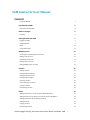
1
SAM Instructor User Manual
Contents
Using This Manual
1
Introduction to SAM
2
Some Ideas on Using SAM
2
Before You Begin
4
Licensing
4
Getting Started with SAM
7
Logging into SAM
7
Navigating SAM
9
Home
10
Using Student View
13
Managing Users
14
Searching for and Selecting a User Account
14
Adding a User Account
14
Importing User Records
17
Editing a User’s Account
21
Editing Multiple Users’ Accounts
23
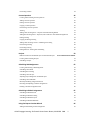
Sections
25
Adding a Section
25
Editing Section Textbooks
27
Editing Section Instructors
27
Editing Section Students
28
Selecting a Section
29
Communicating to a Section
30
Copying a Section
30
Deactivating a Section
33
Exams
34
Adding an Exam Part I – Step One of the Add Exam Wizard
34
Adding an Exam Part II – Steps Two, Three and Four of the Wizard
35
Adding an Exam Part III - Scheduling the Exam
39
Editing an Exam
41
Copying an Exam
43
Deactivating an Exam
43
©2015 Cengage Learning. 20 Channel Center Street. Boston, MA 02210
SAM
i