1
VII
Uninstalling ProofDoc
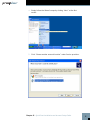
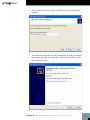
An uninstaller has been included with the product. To remove the
ProofDoc application, simply navigate to the Windows Control
Panel>Add or Remove Programs. Select ProofDoc from the list and
double click to start the uninstaller.
Once the uninstaller is complete, you may need to manually remove
program folders from the Program Files folder and delete the web
folder you created on your desktop.
17