1
Gigaset C530IP / IM-Nord en / A31008-M2506-R201-1-PG19 / introduction.fm / 06.03.2014
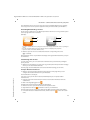
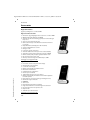
Gigaset C530 IP – Your perfect companion
Gigaset C530 IP – Your perfect companion
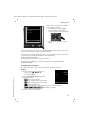
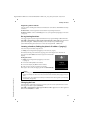
... with impressive internal qualities. The large TFT display, user-friendly keypad and clearly laid
out menu are very simple to use. Your Gigaset can do a lot more than just make calls:
Ethernet port
Connect your Gigaset to the Internet and your PC via Ethernet. Use public and private
directories online (¢ page 88). Update the phonebook on your Gigaset and your directory on
the PC simultaneously.
Directory for 200 vCards – appointments
Save phone numbers and other data to the local directory (¢ page 85). Enter anniversaries in
the phonebook and set reminders (¢ page 100).
Use your Gigaset as a PABX
Register up to six handsets. Assign each device its own phone number.
It's easy to configure your Gigaset thanks to the wizards
The wizards help you to configure the VoIP connections for your phone and to assign the
receive and send connections to the registered handsets.
Go online with your Gigaset
Use your phone's Info Centre and have information specifically provided for the phone from
the Internet shown on the display (¢ page 72).
Other practical information
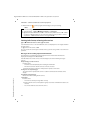
Transfer the phonebook from an existing Gigaset handset (¢ page 87), use the
programmable digit and display keys (¢ page 51) for quick dial or quick access to important
functions, read your e-mail messages on your phone (without a PC).
Environment
Gigaset Green Home – Be environmentally aware when using your phone. You can find details
on our ECO DECT products at www.gigaset.com/service.
Template Borneo, Version 1, 21.06.2012
Further information on your phone can be found online at
www.gigaset.com/gigasetC530ip.
After purchasing your Gigaset phone, please register it at www.gigaset.com/service – this will
enable us to help you more quickly if you have any questions or need to make a claim on the
guarantee!
Have fun using your new phone!
1