1
WELCOME & THANK YOU
CONTENTS
Thank you for purchasing
this Audient product!
Box Contents1
iD14 Overview2
Safety Information3
Declaration of Conformities
5
Installation:6
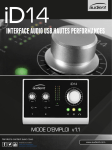
iD14 delivers the audio performance of
a large format console in a compact and
elegant desktop package.
iD14 provides a pair of world-class Audient
console mic pres, class leading Burr-Brown
converter technology, console style monitor
control, JFET D.I and the revolutionary
ScrollControl .
With its versatile feature set and intuitive
layout, iD14 will become the hub of your
studio in no time.
Features include:
• 2-in, 4-out high performance Burr-Brown AD/DA converters
• 2 x Class-A Audient Console Mic
Preamplifiers & 1 x discrete JFET
instrument input.
• Independant Class-AB Headphones
Output
• Full Monitor Control Functionality
(software controlled)
• iD ScrollControl Mode
Installation on Mac Installation on Windows
iD App & Firmware Update
• USB2.0 class compliant connectivity with integrated Low Lateny DSP mixer
Introduction
System Panel - Settings Module
23
Digital Input Formats
23
Clock Source & Lock
23
Talkback Assign23
Mono Monitoring Modes
23
Output Routing
24
6
8
10
Hardware Features:11
Microphone & Line Inputs
12
Instrument Input13
Digital Inputs13
Loudspeaker Outputs14
Headphone Outputs
14
Monitor Control15
Metering16
Kensington Lock16
iD Mixer Application:
• ADAT Input for Expandibility
17
Input Channel Types
18
Channel Naming Tape
18
Channel Strip Features
19
Stereo Linking19
Master Section Features
20
Channel Views21
Volume Control21
Programming the iD Button
22
Setting Up & Using Talkback
25
Save & Load Mixer Presets
Keyboard Shortcuts
26
27
Operation with Pro Tools
Operation with Logic Pro
Operation with Cubase / Nuendo
Operation with Ableton Live
28
29
31
33
Troubleshooting & FAQ
34
Specifications37
Dimensions38
Warranty & Contact
39
Service40
Glossary41
Contents