1
5. Synopsys PrimeTime
Support
qii53005-2.0
Introduction
PrimeTime is an industry standard sign-off tool, used to perform static
timing analysis on most ASIC designs. The Quartus® II software provides
a path to enable users to run PrimeTime on their Quartus designs,
exporting netlist, constraints specified in Quartus format, and libraries to
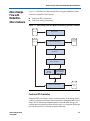
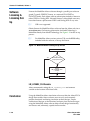
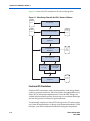
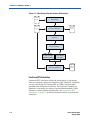
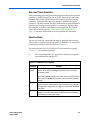
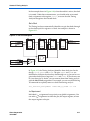
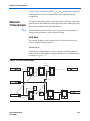
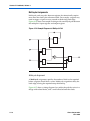
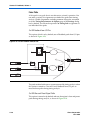
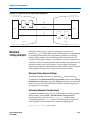
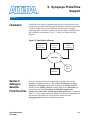
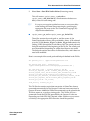
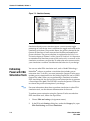
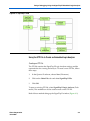
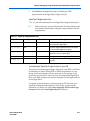
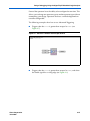
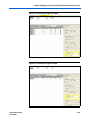
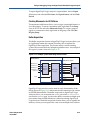
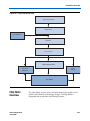
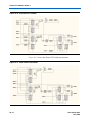
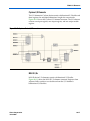
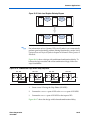
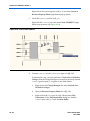
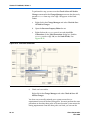
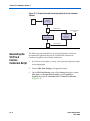
the PrimeTime environment. Figure 5–1 shows the PrimeTime flow
diagram.
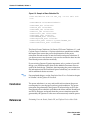
Figure 5–1. PrimeTime Flow Diagram
Design Netlist
(Verilog or
VHDL Format)
Constraints in
PrimeTime
Format
SDO File
(Timing
Information)
PrimeTime
DB lib
HDL lib
Timing Reports
Generated
Quartus II
Settings to
Generate
PrimeTime Files
Altera Corporation
June 2004
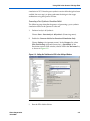
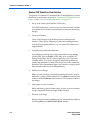
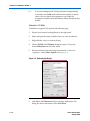
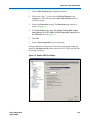
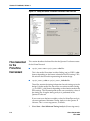
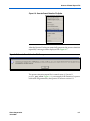
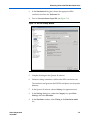
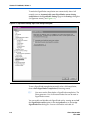
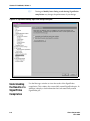
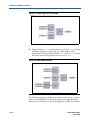
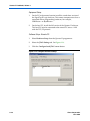
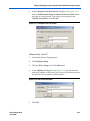
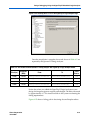
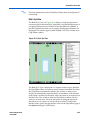
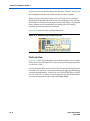
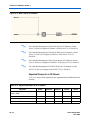
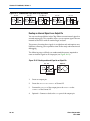
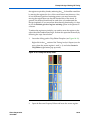
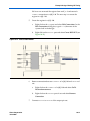
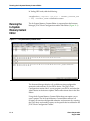
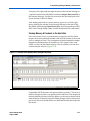
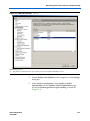
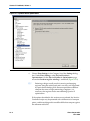
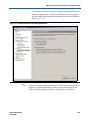
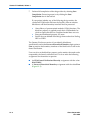
To set the Quartus II software to generate PrimeTime files, choose
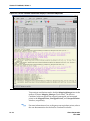
Settings (Assignments menu). Choose EDA Tool Settings >Timing
Analysis in the Category dialog box to display the Timing Analysis
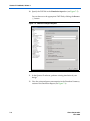
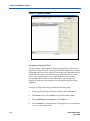
window. In the Timing Analysis window, click on the Tool name pull
down menu and select PrimeTime (Verilog HDL output from
Quartus II) or PrimeTime (VHDL output from Quartus II), as shown in
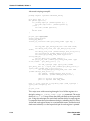
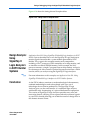
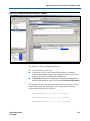
Figure 5–2. This setting enables the Quartus II software to produce three
files for the PrimeTime tool, which are then written into the
timing/primetime directory of the current project.
5–1
Preliminary