1
User manual
Over view
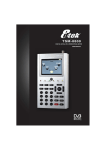
Thank you for selecting 8dTek.
To obtain the best performance of XTRA-S, please
refer to the functionality guidelines in this user manual.
The technical specifications and operating methods
depicted in this manual are subject to change
without prior notice. In case of inquires and up to
date information, kindly visit http://www.8dtek.com.
s
1
SPCM
MENU
OK
ON
OFF
The signal finding menu will be shown when you
press the menu key.
13
C
DSF-8800
SAT JET
12
13/18V DC
Max 500mA
QUALITY
F1
Hold on the ON key until the boot logo is shown,
the system will be boot on.
14
RS232
6
7
8
LNB IN
Xtra-S
TM
5
Startup(Signal finding)
9
AV IN/OUT
10
11
5
6
7
8
9
10
11
12
13
14
15
16
DC
1
2
3
4
+
16
2
4
15
SPEAKER
LOCK
CHARGE STATUS
3
Green LED Line: Indicate signal Quality
Lock LED : Indicate signal lock status
Charge Status:Indicate charging & on/off status
Speaker: Sound and indicate signal lock status
Button F1: Switch between AV In and AV Out
under TV mode, or switch to System Setting
under Main Menu
Button SPCM: Shortcuts for spectrum, see OSD
2-3
Button Menu: Shortcuts for enter and exit OSD
1-3
Button Ok: Selection confirmation
Button Up/Down: Item Selection
Button On: Power on the meter
Button Off: Power off the meter
LCD: Play the video and display UI
F type Connector: Connect to dish for signal
input
Rs232 Connector: Port for s/w upgrading
AV Connector: Port for AV In and AV Out
DC Connector: Port for power charging
1)SATELLITE NAME: The name of satellite Press Ok to view
the satellite list for selection and use [▲▼] key to scroll
through the satellite,and press OK again to confirm the
selection.
2)LNB TYPE: LNB value list
Press OK to view the LNB type list and [▲ ▼]key to scroll
through the LNB value,and press OK again to confirm
the selection.
The type selection depends on the LNB fixed on the dish.
3)DiSEqC 1.0&1.1: DiSEqC switch option
Press OK to view the DiSEqC option list and [▲▼] key to
scroll through the option, and press OK agian to confirm
the selection.
Port A, PortB , PortC ,Port D is for DiSEqC1.0
1/16,2/16.....16/16 is for DiSEqC1.1
4)TRANSPONDER: The parameters of the transponder Press
Press OK to view the transponder list and[▲▼]key to scroll