1
Contents
Chapter 1 Getting Started .............................................................................................................................. 1
1.1
Important Safeguards .......................................................................................................................................... 1
1.2
Regulatory Notice ................................................................................................................................................ 2
Legal Information ......................................................................................................................................................................................... 2
Safety Instructions ........................................................................................................................................................................................ 2
Regulatory Notices Federal Communications Commission (FCC) ................................................................................................................ 2
1.3
Package Contents................................................................................................................................................. 3
1.4
Before Installation ............................................................................................................................................... 4
1.5
Unpacking ........................................................................................................................................................... 4
1.6
Optional Accessories ............................................................................................................................................ 5
1.7
LCD Rackmount Structure Diagram ....................................................................................................................... 6
1.8
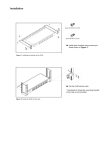
Installation .......................................................................................................................................................... 7
1.9
Installation (continued) ........................................................................................................................................ 8
1.10
How to use the slides ........................................................................................................................................... 8
1.11
How to use the LCD Keyboard Drawer .................................................................................................................10
1.12
KVM Model Connection Diagrams .......................................................................................................................11
1.13
KVM Diagrams ....................................................................................................................................................12
Models: .........................................................................................................................................................................12
RW119-U801 .................................................................................................................................................................12
RWS119-U801 ................................................................................................................................................................12
RW119-U1601................................................................................................................................................................12
RWS119-U1601 ..............................................................................................................................................................12
RW119-U3201................................................................................................................................................................12
RWS119-U3201 ..............................................................................................................................................................12
KVM Server Connection ............................................................................................................................................................................. 12
KVM Cascade .............................................................................................................................................................................................. 12
1.14
KVM Diagrams ..................................................................................................................................................... 2
Models: .......................................................................................................................................................................... 2
RW119-UIP802 ............................................................................................................................................................... 2
RWS119-UIP802 .............................................................................................................................................................. 2
RW119-UIP1602.............................................................................................................................................................. 2
RWS119-UIP1602 ............................................................................................................................................................ 2
RW119-U3202................................................................................................................................................................. 2
www.raloy.com