1
DIGIPASS CertiID Installation Guide
Table of Contents
Table of Contents
1
Introduction ................................................................................................................................. 5
2
Requirements ............................................................................................................................... 6
2.1
2.2
2.3
Operating System Requirements ............................................................................................................. 7
General Requirements ........................................................................................................................... 8
Software Requirements ......................................................................................................................... 9
Installing DIGIPASS CertiID ................................................................................................................... 10
2.4
Pre-Installation Settings and Tasks ....................................................................................................... 11
2.4.1
Administrator privileges ............................................................................................................................... 11
2.4.2
Smart card reader drivers ............................................................................................................................ 11
2.4.3
DIGIPASS Secure Authentication Suite (SAS)................................................................................................. 11
2.4.4
URL for update client................................................................................................................................... 11
2.5 Installation Overview ........................................................................................................................... 12
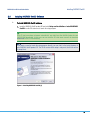
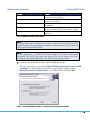
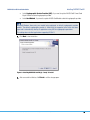
2.6 Installing DIGIPASS CertiID Software ..................................................................................................... 13
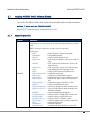
2.7 Installing DIGIPASS CertiID Software (Silently) ........................................................................................ 20
2.7.1
Supported properties................................................................................................................................... 20
2.7.2
Examples ................................................................................................................................................... 21
2.8 Post-Installation Settings and Tasks ...................................................................................................... 22
2.8.1
Installing Group Policy Administrative Templates on Domain Controller ........................................................... 22
2.8.2
Registering the DP CertiID PKCS#11 Library in Mozilla Firefox and Mozilla Thunderbird ................................... 22
3
Removing/Repairing/Modifying DIGIPASS CertiID ............................................................................ 23
3.1
Removing/Repairing/Modifying DIGIPASS CertiID..................................................................................... 24
© 2008, 2009 VASCO Data Security. All rights reserved. Unauthorized duplication or distribution is prohibited.
3