1
BIOS Setup Information
4.2 Main Menu
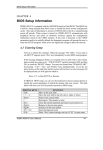
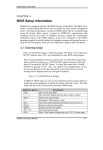
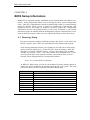
Once you enter AMI BIOS CMOS Setup Utility, the Main Menu will appear on the
screen. The Main Menu allows you to select from ten setup functions and two exit
choices. Use arrow keys to switch the items and press <Enter> to accept or enter
the sub-menu.
AMI BIOS HIFLEX SETUP UTILITY-VERSION 1.20
(C) 1998 American Megatrends , Inc. All Rights Reserved
Standard CMOS Setup
Advanced CMOS Setup
Advanced Chipset Setup
Power Management Setup
PCI/Plug and Play Setup
Peripheral Setup
Auto-Detect Hard Disks
Change User Password
Change Supervisor Password
Auto Configuration with Optimal Settings
Auto Configuration with Fail Safe Settings
Save Settings and Exit
Exit Without Saving
Standard CMOS setup for changing time, date, hard disk type, etc.
ESC : Exit ↑↓:
↑↓ Sel F2/F3 : Color F10 : Save & Exit
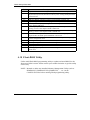
NOTE : It is strongly recommended to reload Optimal
Setting if CMOS is lost or BIOS is updated.
ROBO-598 User’s Manual
4-2