1
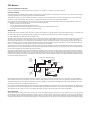
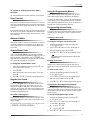
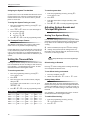
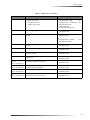
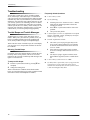
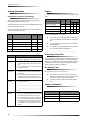
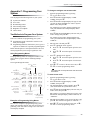
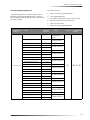
Notification by Pager 3. 4. To turn Silent Arming: q on, press 2 + ƒ. No system status beeps will sound while arming. q off, press 1 + ƒ. System status beeps will sound from touchpad while arming. Press ‚ + 4 + ƒ to exit the programming menus. Adjusting the Touchpad Beeps The frequency or pitch of chime and trouble beeps from each fixed display touchpad can be adjusted individually to a more desirable or distinct tone. Chime and trouble beep tones sound using the default frequency during, or within 15 seconds of, any button activity at that specific touchpad. To change status tone pitch: 1. Press and hold the ‚ and 0 until you hear a steady tone, then release the buttons. 2. Press and hold 1 to lower the pitch or press and hold 2 to raise the pitch. 3. Release the button when the desired pitch is heard. After about 10 seconds of no touchpad activity, the steady tone stops sounding. Notification by Pager Your system can notify up to three different pager phone numbers to report system events. The installer can program any pager to receive pages for one or more of the following groups: High Level Reports, which includes the following reports: – Sensor alarms – Sensor Tamper – Sensor Restores – Phone test – Receiver failure – Receiver jam – Touchpad tamper – Bus failures – No activity alarm – Fire panic – Police panic – Auxiliary panic – Duress alarm Low Level Reports, which includes the following reports: – Bypass sensors – AC power fail – Sensor Low battery – CPU low battery – Sensor Supervisory – Auto phone test – Sensor Trouble – CPU back in service – Phone test – Phone Failure – Touchpad supervisory – Event buffer full – Touchpad low battery – Force armed(reports when a user bypasses sensors while arming system) Adjusting the Touchpad Display Brightness Opening and Closing reports Latchkey Paging You may want to change the brightness of a touchpad display based on its location in a building or room. For example, dim the touchpad display in a bedroom or enhance a display near a window. Pager Messages When an event is reported on a numeric pager, the following information is included: Changing the touchpad display affects only the touchpad currently being used. To change touchpad display brightness: 1. Enter the programming menus by pressing 9 + System Master Code. 2. Press 2 + 2. 3. Select a brightness level: q 0 + ƒ Off q 1 + ƒ Low q 2 + ƒ Medium q 3 + ƒ High 4. Press ‚ + 4 + ƒ to exit the programming menus. E v e n t c o d e L a s t fo u r d ig its o f c e n tr a l s ta tio n a c c o u n t n u m b e r S e n so r n u m b e r o r u se r n u m b e r Although all three types of information can be reported on your pager, your pager service determines how the information will actually appear. After dimming the display, pressing any button momentarily returns the display to full brightness. After 15 seconds without touchpad activity, the display returns to the set dimmed level. If an alarm occurs while the display is dimmed, it automatically returns to the full brightness level and stays that way until you disarm your system. 11