1
Mobile Camera
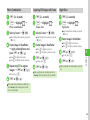
Use handset camera to capture pictures and record movies. Edit pictures and print them via Bluetooth®-compatible printers.
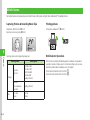
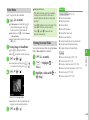
Capturing Pictures & Recording Movie Clips
Printing pictures
Select Scene, Multi Shot, etc. (fP.6-3)
Record up to one hour per clip (fP.6-9).
Print pictures via Bluetooth® (fP.6-12).
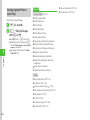
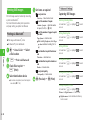
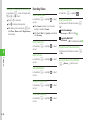
Capturing options and corresponding image sizes:
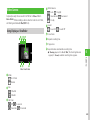
Multi Selector Operations
6
Camera
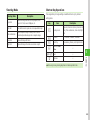
Shooting Mode
Single shot
Night shot
3M (2048×1536)
2M (1600×1200)
1.3M (1280×960)
VGA (640×480)
Standby (320×240)
Multi shot
Photo combination
Frame shot
Standby (320×240)
For S! Mail
Normal
176×144
128×96
Still Image
Video
6-2
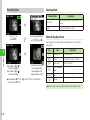
Shooting Size
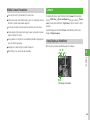
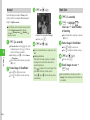
When Camera is activated, Viewfinder appears in Landscape. The operations
assigned to vertical scroll keys are set to horizontal scroll keys, and vice versa.
Operations are described in Landscape view in this chapter.
Vertical scrolls (horizontal scrolls in Portrait): j
Horizontal scrolls (vertical scrolls in Portrait): s