1
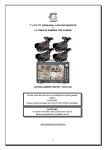
Wireless NVR kit Quick installation guide
Hardware description
1 Statement
Sincerely thanks for purchasing our products,pls contact us if any problem or requirement.
This manual is network video recorder.
This user manual may contain incorrect place in technology,place not matching with product
Function or operation, or printing mistake.
We will update our user manual according to our updating in produnct,and will periodically
Improve or updating the product and programming.the updating content will add in the new
User manuai,we won’t inform.
If the product’s description in user manual is inconsistent with the real products,pls based
on
The real products.
2 Safety cautions
1.Pls don’t put a container with liquid on DVR (like Vase).
2.DVR should put at a ventilation place,and prevent clogged the ventilation hole.
3.Check the power voltage,in case if damage by wrong voltage.
4.DVR should work at the technical standard range of temperature and humidity.
5.Place DVR on level,pls avoid intstalling at a sharp pounding place.
6.Moisture dust in PCB will cause short,circuit,for long-term use of the DVR,you can
Perodically remove dust in PCB by brush.
7.It will cause burst if replace battery in wrong way,we don’t suggest user to replace by
Himself,if need replace,only use the same type or equivalent type battery,pls don’t try to
Open or maintain the battery.
8.DVR installation need according to specification,you can take the national or local
standard
As reference.
3 Open-package inspection
After receive product,pls open giftbox,remove NVR and put it on suitable place,check
accessories.If any damage or lack,kindly pls contact to the distributor
2