1
DISPLAY
OPTIONS
1
TV Aspect
4:3 L_ox
2
Still Mode
Auto
3
Screen
4
5
Fron[ D_Spl_y
Black Leve_
Messages
on
Auto Dim
Of_
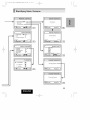
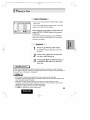
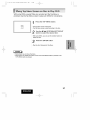
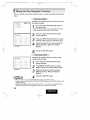
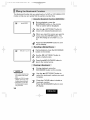
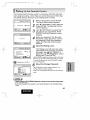
Press the SETUP button in stop mode.
Use
the Options.
AV UP/DOWN
buttonthe
to select
Display
Then press
ENTER
button.
(_RETURN AV _) ENTER
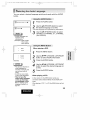
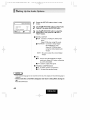
Usedesired
the _,VUP/DOWN
button the
to select
the
item. Then press
ENTER
button or ,o, LEFT/RIGHT button.
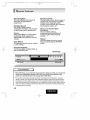
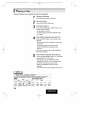
0 TV ASPECT
Depending on the type of television you have, you
may want to adjust the screen setting (aspect ratio).
STILL MODE
Prevent picture shaking in still mode and display
small text clearer.
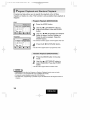
O SCREEN MESSAGES
Use to turn on-screen messages on or off.
FRONT DISPLAY
Adjust the brightness
of the unit's front panel display.
BLACK LEVEL
Adjust the brightness of screen.
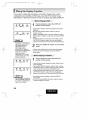
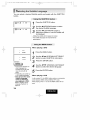
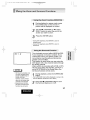
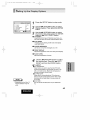
Use
the AV UP/DOWN
select
the desired
item. Press button
the _llbtoLEFT/
RIGHT and then the ENTER button.
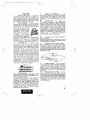
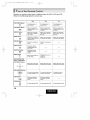
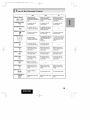
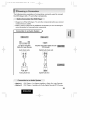
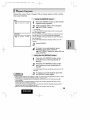
TV ASPECT
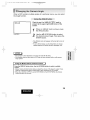
U4:3 LETTER BOX :
Select when you want to see the total 16:9 ratio
screen DVD supplies, even though you have a TV
with a 4:3 ratio screen. Black bars will appear at
the top and bottom of the screen.
[] 4:3 PAN-SCAN :
Select this for conventional size TVs when you
want to see the central portion of the 16:9 screen.
(Extreme left and right side of movie picture will
be cut off.)
[] 16:9 WIDE :
*,Depending on the Disc, TV
Aspect selection may not
work.
You can view the full 16:9 picture in your widescreen
T_
43
[