1
ISOBE5600
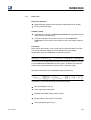
F Trouble Shooting
F.1
Unit does not start after firmware upgrade
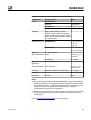
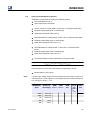
Symptoms:
Solution
No text on display of re- The ISOBE5600 has a ‘Minimum Mode’ firmware that
ceiver, but backlight is can be used when the upgrading process has failed
on, transmitter does not and the previous firmware version does not boot. The
connect to receiver
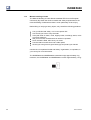
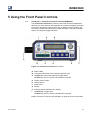
Minimum Mode firmware can be activated by turning
unit, all LED indicators on the receiver unit while holding down (keeping pressare off.
ed) the rotary knob for 2 to 3 seconds. This boot mode
can only be used to reinstall the firmware update loader. It does not support other functionality.
I2711-3.0 en
111