1
MediaShare Wireless
TM
About This Manual
This manual describes how to use the Verbatim
MediaShare Wireless Streaming Device with your Android
smartphone or tablet. If you have an iOS smartphone or
tablet, please download the user manual for “MediaShare
Wireless for iOS”.
Product Overview
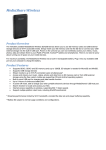
The Verbatim MediaShare Wireless Streaming device
allows you to use SD memory cards and USB external
storage devices as Wi-Fi accessible media. Simply insert
your SD/SDHC/SDXC memory card into the SD slot or
connect your USB external storage into the built-in USB
port, press the power button on the MediaShare and you
can now wirelessly access your videos, music, photos, data
and stream them to your iPad®, iPhone®, Android™
tablets, and smartphones. There is no need to worry about
running out of space on your mobile devices.
For maximum portability, MediaShare Wireless has a
built-in rechargeable battery. Plug it into any available USB
port on your computer to charge the battery.
Product Features
• Supports SDXC, SDHC and SD memory cards up to
128GB. SD adapter is needed for MicroSD and MiniSD.
• Supports USB storage devices
• Streams media to up to 5 Wi-Fi-connected users
simultaneously*
• Accesses and streams your music, videos, photos and
data from an SD memory card or USB external storage
using the free mobile app (available for iOS and Android
operating systems)
• Built-in micro USB port for charging and transferring files
• Up to 9 Hours of continuous battery life**
• Charges your other portable electronic devices through
the USB port (while in Off mode)
• Search function to locate and access your files
• Internet access capability via wireless, supporting
802.11 b/g/n speeds
• Supports multiple devices including iPad, iPhone, iPod
Touch, Google Nexus, Samsung Galaxy and more
* Streaming performance limited by Wi-Fi bandwidth,
encoded file data rate, and player buffering capability.
**Battery life subject to normal usage conditions and
configurations.
Operating Modes
There are three main operating modes.
1. Direct USB Connection. Connect the MediaShare
Wireless to your computer’s USB port using the
provided USB cable. The MediaShare Wireless will
User Manual for Android OS
automatically mount, appearing on your desktop or in
“My Computer”. In this mode the battery of MediaShare
will charge and you can transfer files between your
computer and either an installed SD memory card or an
installed USB drive/portable hard drive.
2. Wireless Connection. Use the MediaShare Wireless with
your mobile device to stream music, pictures or videos
from an SD card or USB device.
3. Wireless Internet Bridge mode. After enabling the
Internet Bridge feature, wirelessly connect MediaShare
to your existing wireless router to have internet access,
while still being able to stream content on your device
through the MediaShare Wireless.
Product Specifications
Product Dimensions: 112mm X 78mm X 14mm
Wi-Fi Radio:
Standard: 802.11 b/g/n
Frequency: 2.4 GHZ
Speed: 72Mbps at 20MHz / 150Mbps at 40MHz
Wi-Fi Security:
WPA-PSK
WPA4-PSK
Mixed WPA/WPA4-PSK (default)
Disabled
USB 2.0 Device Port: For data transfer and charging
Battery:
3000 mAh capacity
Charges via USB micro-B port
Charging time: Up to 7 hours
Regulatory Certifications:
FCC (Class B), CE, IC RSS-210:2010 (Canada),
CEC-2012-BCS (California, Battery Charger Efficiency
Requirement)
System Requirements
• Internet Connection (for downloading app and user
manual, and for use with optional Internet Bridge
feature)
• MediaShare Wireless Android app (available for free
download from the Google Play store)
• Attached storage device (1GB minimum): SD card
(Class 4 or higher) or USB flash drive or USB hard drive
• 200MB available storage on your installed SD card or
USB storage device (This will be reserved for system
functions and therefore not available for use.)
• Android smartphone or tablet running Android 2.3
version or higher.
3