1
MODx Content Management System : Read Me First
MODx Content Management System 1.0.3 - QuickStart Guide
Search here...
Read Me First
Go!
Modx is an expandable and highly configurable content management framework. Because no two
Read Me First
User's Guide
The MODx administrative
interface
About Resources
The Resource Browser
The File Manager
Uploading images
Navigating, creating, deleting
directories
File and directory best
practices
MODx installations will be exactly alike from website to website, there are some important topics to
touch on before proceeding through this user's manual.
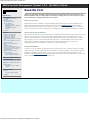
MODx Look and Feel
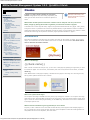
Administrators have the capability to change the MODx graphical theme based on personal preference. The
MODx control panel demonstrated in this manual uses a theme called MODxGreenEvo, which provides a
colorful interface with good contrast that is easy on the eyes. Your MODx control panel may have a different
theme. If you don't like the theme configured for your MODx site, ask your website administrator to change it!
Glossary
How Do I
Create a new web page
Create a new container
Create a new web link
Un-publish a resource
Automatically publish on a future
date
Preview an unpublished resource
Delete a resource
Hide a resource from menu
listing
Insert an image
Link to a PDF or Word doc
Search for resources or contents
Customize the page link text in
navigation bars
Change the Resource URL
Move a resource ...
into a different container
above or below a resource
Access controls and permissions
MODx provides exellent user and group management. The MODx site administrator has fine-grained control over
what a user or group can see and do from the control panel. Because you may be a MODx user not in the
capacity of an administrator, you may find yourself with limited access. Some of the help topics in this guide
may not apply to you. You may also find that some fields, tabs, or controls displayed in this manual may be
missing from your MODx control panel. These things are access controls at work. If you want more
administrative liberty with your MODx site, talk to your website administrator.
Browser Compatibilty
In theory, you can administer your MODx site from any modern web browser. In practice, however, the MODx
control panel does not work consistently across all browsers. If you find that MODx is not functioning normally,
throws error messages, or simply hangs, you may want to log-in to the MODx control panel from a fresh
installation of the Mozilla Firefox browser. Mozilla Firefox touts itself as "the world's best browser," and for good
reason. The MODx control panel tends to run best on it.
Frequently Asked Questions
Troubleshooting
My page is displaying old content
My page is not appearing on the
site
Editing pages
Can't add content at bottom
of page.
Advanced Topics
Chunks
Viewing, creating, editing
Snippets
http://www.studioefx.com/modx-user-guide/read-me-first[6/25/2010 7:09:32 PM]