1
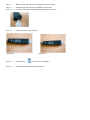
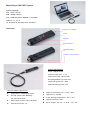
Step 1. ------- Make sure the USB cable is not plugged into the Computer.
Step 2.-------- Install software by following installation instructions.
Step 3.--------- Connect USB cable to MasterScope 360 system and your PC
Step 4.--------- Make sure Green Light LED is on.
Connection
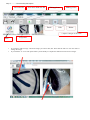
Step 5.--------- Double Click
Disconnect
icon from your Computer.
Step 6.--------- MasterScope 360 Software should launch.