1
USB3.0 -to-SATA II RAID Subsystem
Contents
Preface ................................................................................................................................ 3
Before You Begin ............................................................................................................. 4
Chapter 1
Introduction ................................................................................................. 6
1.1
Technical Specification ..........................................................................................................................................7
1.2
Identifying Parts of the RAID Subsystem ......................................................................................................8
1.2.1
1.2.1.1
Disk Drive Carrier ..................................................................................................................................9
1.2.1.2
LED Indicators .........................................................................................................................................9
1.2.2
1.3
Front View .........................................................................................................................................................8
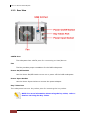
Rear View ........................................................................................................................................................ 10
RAID Concepts ...................................................................................................................................................... 11
1.3.1
Definition of RAID Levels ......................................................................................................................... 11
1.3.2
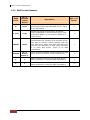
RAID Levels Summary ............................................................................................................................... 14
Chapter 2
2.1
Getting Started .........................................................................................15
Installing Hard Drives ......................................................................................................................................... 15
2.1.1
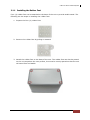
Installing the Rubber Feet ....................................................................................................................... 17
2.2
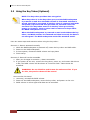
Using the Key Token (Optional) .................................................................................................................... 18
2.3
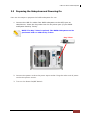
Preparing the Subsystem and Powering On ............................................................................................ 19
Chapter 3
Configuration Utility ................................................................................ 20
3.1
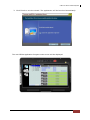
Installing the AP in Microsoft Windows ..................................................................................................... 22
3.2
Mini-EPICa Management GUI ......................................................................................................................... 24
3.4.1
Other Buttons of the RAID Management GUI ................................................................................ 25
Chapter 4
4.1
RAID Management .................................................................................28
Basic Mode ............................................................................................................................................................. 28
4.1.1
RAID and Disk Information ..................................................................................................................... 28
4.1.2
Event Log Viewer......................................................................................................................................... 31
4.1.3
Basic Raid Configuration .......................................................................................................................... 32
4.2
Advanced Mode ................................................................................................................................................... 36
4.2.1
Email Notification and Event Settings ................................................................................................ 36
4.2.2
Advanced Raid Configuration ................................................................................................................ 37
4.2.3
Firmware Information ................................................................................................................................ 41
4.2.4
RAID Settings ................................................................................................................................................ 43
Chapter 5
Additional Information ..........................................................................44
5.1
How to Change the USB 3.0 IO Interface Board to USB/1394 IO Interface Board.................. 44
5.2
How to Change the USB 3.0 IO Interface Board to eSATA IO Interface Board ........................ 47
2
User Manual