1
510967.qxd
7/19/2006
1:31 PM
Page 27
INDEX
TOC
Image Alignment
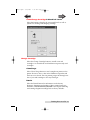
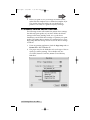
The Image Alignment button will allow you to nudge the
image up, down, left, or right on your disc. To center the
image, click the Image Alignment button. You will be
prompted with a choice to print a test print or simply enter
values to nudge the image alignment on the disc.
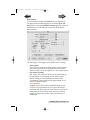
If you do not know the direction and distance to move the
image in order to center it on your disc, you can opt to print
the centering test print. Make sure the Publisher has discs and
an ink cartridge installed, and it is connected and ready to
receive a print job, and then click the Yes button. The
Publisher will pick a disc and print a scale of numbers on it.
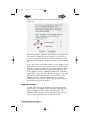
You will be prompted to open the Publisher's front
cover, rotate the printed disc 180 degrees, reload it
into the input, and close the cover. Click OK when
ready and the Publisher will pick the disc and
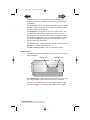
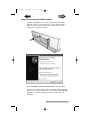
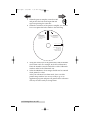
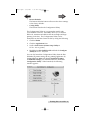
print another scale of numbers. The disc should
look like this:
BACK
Vertical Calibration
-5 -4 -3 -2 -1 0 1 2 3 4 5
5 4 3 2 1 0 -1 -2 -3 4 -5
Find and enter the number
whose lines tough
(must be the SAME number)
Horizontal Calibration
After printing this image
once, rotate this CD
so the ARROWS point
to the BACK of the printer
and print again.
5
4
3
2
1
0
-1
-2
-3
-4
-5
Find and enter the number
whose lines tough
(must be the SAME number)
NOTE:
-5
-4
-3
-2
-1
0
1
2
3
4
5
BACK
Printing Discs on a Mac 27