1
Contents
BEFORE YOU BEGIN..................................................................................... 4
1.1
1.2
1.3
1.4
1.5
Connecting the FP4030MR unit to your computer ............................................ 5
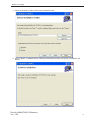
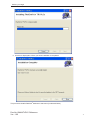
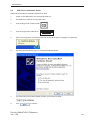
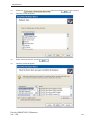
Installing FlexiSoft configuration software: ........................................................ 5
Steps for starting FlexiSoft® Software ............................................................. 8
Uninstalling FlexiSoft Software ......................................................................... 8
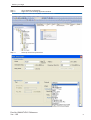
Setting network configuration ........................................................................... 8
WORKSPACE TOUR .................................................................................... 14
2.1
2.1.1
2.1.2
2.1.3
2.1.4
2.1.5
2.1.6
2.2
2.2.1
2.2.2
2.2.3
2.2.4
2.2.5
2.3
2.4
2.6
FlexiSoft Configuration software application window ...................................... 15
Menu Bar ....................................................................................................... 16
Project Menu ................................................................................................. 17
View Menu .................................................................................................... 18
Define Menu .................................................................................................. 19
Tools Menu .................................................................................................... 20
Help Menu ..................................................................................................... 20
Exploring toolbars .......................................................................................... 21
Project Toolbar .............................................................................................. 21
Layout Toolbar ............................................................................................... 22
Draw Toolbar ................................................................................................. 24
Font Toolbar .................................................................................................. 28
Global Toolbar ............................................................................................... 28
Creating New Project ..................................................................................... 29
Creating a sample project .............................................................................. 31
Tag Database ................................................................................................ 33
REPRESENTING DATA BY OBJECTS AND WIZARDS ............................. 38
3.1
3.1.1
3.1.2
3.1.3
3.1.4
3.1.5
3.2
3.2.1
3.2.2
3.2.3
3.2.4
3.2.5
3.3
3.3.1
3.3.2
3.3.3
3.3.4
3.3.5
3.4
Alphanumeric Objects .................................................................................... 39
Text Object :- .................................................................................................. 42
Data Entry Object :- ....................................................................................... 43
Display Data Object :- .................................................................................... 47
Date Object:- ................................................................................................. 51
Time Object:- ................................................................................................. 52
Graphical Objects .......................................................................................... 53
Line ............................................................................................................... 53
Rectangle ...................................................................................................... 54
Ellipse ........................................................................................................... 55
Rounded Rectangle ....................................................................................... 56
Pictures ......................................................................................................... 57
Wizards ......................................................................................................... 58
Bit lamp ......................................................................................................... 59
Word Lamp:- ................................................................................................. 62
Bargraph ....................................................................................................... 65
Multiple Bargraph .......................................................................................... 67
Analog Meter ................................................................................................. 70
Import & Export Multilingual Text Objects ........................................................ 73