1
Troubleshooting
Transfer Voltage Adjustment (optional)
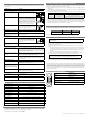
Use the tables below to solve minor Back-UPS installation and operation problems. Consult APC On-line
Technical Support or call APC Technical Support for assistance with problems that cannot be resolved using
this document:
In situations where the Back-UPS or connected equipment appears too sensitive to input voltage, it may
be necessary to adjust the transfer voltage. This is a simple task requiring use of the front panel
pushbutton. To adjust the transfer voltage, proceed as follows:
1. Plug the Back-UPS into the utility power source. The Back-UPS will be in a Standby Mode (no
indicators lit).
2. Press the front panel pushbutton fully inward for 10 seconds. All indicators on the Back-UPS will
flash to acknowledge going into Programming Mode.
3. The Back-UPS will then indicate its current Lower Transfer Voltage, as shown in the following table.
Possible Cause
Procedure
Back-UPS will not switch on
Back-UPS not connected to an AC
power source.
Back-UPS circuit breaker “tripped”.
Very low or no utility voltage.
Check that the Back-UPS power plug is
securely connected to the wall outlet.
Disconnect non-essential equipment from the
Back-UPS. Reset the circuit breaker (located
on the rear panel of the Back-UPS) by pushing the circuit breaker button fully inward
until it catches. If the circuit breaker resets,
switch the Back-UPS on and reconnect the
equipment one-at-a-time. If the circuit
breaker trips again, it is likely that one of the
connected devices is causing the overload.
Check the wall outlet that supplies power to
the Back-UPS using a table lamp. If the lamp
bulb is very dim, have the utility voltage
checked by a qualified electrician.
4.
5.
6.
7.
Indicators Lit
Lower Transfer Voltage
1
160 VAC
2
3
180 VAC (factory default)
196 VAC
Computer, monitor or external disk/
CD-ROM drive is plugged into a
Surge Only outlet.
Back-UPS Storage
Before storing, charge the Back-UPS for at least eight hours. Store the Back-UPS covered and upright in
a cool, dry location. During storage, recharge the battery in accordance with the following table:
Storage Temperature
Back-UPS operates on battery although normal utility voltage exists
Back-UPS circuit breaker “tripped”.
-5o to 30oC (23o to 86oF)
Check the battery connections. (See “Connect the Battery” under
“Installation” on the front page of this document.
Move computer, monitor, or external drive power cord plug to the
Battery Backup outlets.
Back-UPS battery is weak due to
recent outage and has not had time
to recharge.
Charge the battery. The battery charges whenever the Back-UPS is
connected to a wall outlet. Typically, eight hours of charging time are
needed to fully charge the battery from total discharge. Back-UPS
run-time is reduced until the battery is fully charged.
Battery requires replacement.
Replace battery (see Order Replacement Battery). Batteries typically
last 3-6 years, shorter if subjected to frequent power outages or elevated temperatures.
A red indicator is lit
Battery is not connected properly.
Check the battery connections. Consult "Connect the Battery" under
"Installation" on the front page of this document. It shows how to
access the battery and connect the wires.
The Overload indicator is lit if
equipment connected to the Battery
Backup outlets is drawing more
power than the Back-UPS can provide.
Move one or more equipment power plugs to the Surge Only outlets.
Battery requires replacement.
The battery should be replaced within two weeks (see "Order
Replacement Battery"). Failure to replace the battery will result in
reduced run-time during a power outage.
1.
2.
4.
Note: Never use StyrofoamTM beads for packaging. Damage sustained in transit
is not covered under warranty (insuring the package for full value is recom5.
6.
Write the RMA# on the outside of the package.
Return the UPS by insured, prepaid carrier to the address provided by customer service.
Warranty
The standard warranty is two (2) years from the date of purchase. APC’s standard procedure is to replace
the original unit with a factory reconditioned unit. Customers who must have the original unit back due
to assigned asset tags and set depreciation schedules must declare such a need at first contact with an
APC Technical Support representative. APC will ship the replacement unit once the defective unit has
been received by the repair department, or cross ship upon the receipt of a valid credit card number. The
customer pays for shipping the unit to APC. APC pays ground freight transportation costs to ship the
replacement to the customer.
APC Contact Information
Check the battery connections.
1
4
7
*
Specifications
Input Voltage (on line)
Mexico
292.0253 / 292.0255
2
5
8
0
3
6
9
#
Brazil
0800.12.72.1
Worldwide
1.401.789.5735
Internet
http:\\www.apc.com
Technical Support
http:\\www.apc.com/support
47 - 63 Hz (autosensing)
On Battery Waveshape
Stepped Sine Wave
350 VA - 210 W
500 VA - 300 W
Typical Recharge Time
8 Hours
Operating Temperature
0o to 40oC (32o to 104oF)
Storage Temperature
-5o to 45oC (23o to 113oF)
Operating and Storage
Relative Humidity
0 to 95% non-condensing
Size (H x W x D)
1.800.800.4272
180 - 264 Vac (default setting)
Frequency Limits (on line)
Maximum Load
USA/Canada
Call APC for service.
Replace Battery indicator lit and an alarm sounds when the Back-UPS is turned on
Internal battery not connected.
8 hours
Consult the Troubleshooting section to eliminate common problems.
Determine if the circuit breaker is tripped. If the circuit breaker is tripped, reset the breaker and
determine if the problem still exists.
If the problem persists, consult the APC Worldwide Web site (www.apcc.com) or call customer
service.
•
Record the model number of the UPS, the serial number, and the date purchased. Be prepared
to troubleshoot the problem over the telephone with a technician. If this is not successful, the
technician will issue a Return Merchandise Authorization Number (RMA#) and a shipping
address.
•
If the UPS is under warranty, repairs are free. If not, there is a repair charge.
Pack the UPS in its original packaging. If the original packing is not available, ask customer service about obtaining a new set. Pack the UPS properly to avoid damage in transit.
Red indicators are flashing
Back-UPS failure.
8 hours
Note: If the UPS requires service, do not return it to the dealer. The following steps
should be taken:
3.
Unplug non-essential Battery Backup connected equipment, such as
printers and plug them into Surge Only outlets.
Note: Devices that have motors or dimmer switches (laser printers,
heaters, fans, lamps, and vacuum cleaners, for example) should not be
connected to the Battery Backup outlets.
Every 6 months
30o to 45oC (86o to 113oF) Every 3 months
Service
Back-UPS does not provide expected backup time
Back-UPS is excessively loaded.
Recharge Frequency Charging Duration
Please contact APC Technical Support to troubleshoot the unit before returning it to APC.
Disconnect non-essential equipment from the
Back-UPS. Reset the circuit breaker (located
on the rear panel of the Back-UPS) by pushing the circuit breaker button fully inward
until it catches.
The wall outlet that the Back-UPS is Connect the Back-UPS to another wall outlet or have a qualified
connected to does not supply utility electrician check the building wiring.
power to the unit.
Normal power conditions exist.
Connected equipment is sensitive to low voltage.
To select 160 volts as the Lower Transfer Voltage, press the pushbutton until 1 indicator is flashing.
To select 180 volts as the Lower Transfer Voltage, press the pushbutton until 2 indicators are flashing.
To select 196 volts as the Lower Transfer Voltage, press the pushbutton until 3 indicators are flashing.
Once in Programming Mode, if the pushbutton is not pressed within 5 seconds, the Back-UPS will
exit the Programming Mode, and all indicators will extinguish.
Back-UPS does not power computer/monitor/external drive during an outage
Internal battery is not connected.
Use When
Back-UPS frequently goes On Battery due to
low input voltage.
16.5 x 9.2 x 28.5 cm
(6.5 x 3.6 x 11.2 inches)
Weight
350 VA - 6.3 kg (13.8 lbs)
500 VA - 13.8 lb (6.3 kg)
Shipping Weight
350 VA - 7.0 kg (15.3 kg)
500 VA - 15.3 lb (7.0 kg)
EMI Classification
EN 55022, IEC 801-2 and 801-4 (level IV), and IEC 801-3 (level III)
On Battery Run-Time
20 Minutes typical - desktop computer and 15 inch (38.1 cm) monitor.
Order Replacement Battery
The typical battery lifetime is 3-6 years (depending on the number of discharge cycles and operating
temperature). A replacement battery can be ordered over the phone from APC, or the battery can be ordered
on-line from the APC web site (see below, a valid credit card is required).
When ordering, please specify Battery Cartridge RBC2.
Copyright © 2000 American Power Conversion. All rights reserved.