1
Welcome
Login.......................................................................................... 16
Accessing the Internet............................................................... 18
Accessing the Internet by LTE Gateway.............................. 18
Operation Mode......................................................................... 18
4G Settings................................................................................ 19
WAN Connection....................................................................... 21
In Cable Broadband mode................................................... 21
In 4G Gateway mode........................................................... 21
SMS Over IP.............................................................................. 22
Sending new SMS................................................................ 22
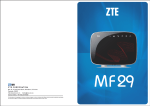
Thank you for choosing ZTE MF29 Router (hereinafter referred to
as “device” or “router”). To get the most from your router and to keep
it in the best condition, please read this manual carefully.
The pictures, symbols and contents in this manual are for your reference only. They might not be completely identical with your router.
ZTE operates a policy of continuous development. We reserve the
right to update the technical specifications in this manual at any time
without prior notice.
Operating Messages in native.............................................. 22
VoIP........................................................................................... 24
Settings................................................................................ 24
General Information
User Details.......................................................................... 25
Safety Precautions
Advanced ............................................................................ 26
• Some electronic devices may be susceptible to electromagnetic
interference. Locate the router away from TV set, radio and other
electronic equipment to avoid electromagnetic interference.
• The router may interfere with medical devices like hearing aids
and pacemakers. Consult a physician or the manufacturer of the
medical device before using the router.
• Please keep yourself at least 20 centimeters away from router.
• Do not use your router in dangerous environments such as oil
terminals or chemical factories where there are explosive gases
or explosive products being processed.
• Please use original accessories or accessories that are
authorized by ZTE. Unauthorized accessories may affect the
router performance, damage the router or cause danger to you.
• Do not attempt to dismantle the router. There are no user
serviceable parts.
Supplementary..................................................................... 26
Settings...................................................................................... 27
Wi-Fi Settings....................................................................... 27
Firewall................................................................................. 35
Advanced............................................................................. 39
Usage of WPS........................................................................... 42
U-Disk Master............................................................................ 43
Logout........................................................................................ 43
Troubleshooting................................................. 44
How to get help.......................................................................... 45
Technical Parameters......................................... 46
Glossary.............................................................. 47
4
MF29T User Manual V1.1-0703.indd
4-5
5
2012-7-3
16:46:28