1
PERFORMANCE SETTINGS:
CPU Governor Settings:
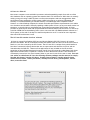
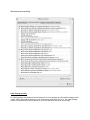
Governing the CPU in AV Linux is handled by a small light GTK-based tray utility known as 'Trayfreq'.
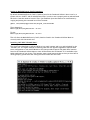
Simply click and right-click on the LXPanel applet and select your desired governor. Trayfreq can be
further configured and have it's defaults changed by editing it's 'trayfreq.config' file found in
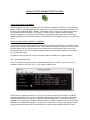
/usr/share/trayfreq. To do this use 'Accessories' → Root Terminal and this command:
gedit /usr/share/trayfreq/trayfreq.config
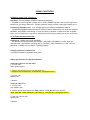
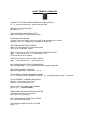
Trayfreq example default settings in AV Linux using the 'ondemand' governor on battery power and
'performance' governor on AC power:
[battery]
show=1
governor=ondemand
[ac]
governor=performance
#[events]
#activate=/usr/bin/xterm
[governor]
default=performance
#[frequency]
#default=800000
Monitor Display DPMS:
AV Linux does not use a Screensaver due to the unnecessary diversion of resources during recording or
editing operations. DPMS (Display Power Management Signaling) is used to turn off the Monitor with the
system defaults of 60mins to blank the display, 120mins to suspend the display and powering off the
display disabled. To edit the /etc/xdg/autostart/dpms-settings.desktop configuration file run this
command in a Root Terminal:
gedit /etc/xdg/autostart/dpms-settings.desktop
This will open a text file to edit containing the following:
[Desktop Entry]
Categories=Application;System
Comment=Monitor DPMS Settings
Encoding=UTF-8
Exec=xset s off dpms 3600 7200 0
Hidden=false
Name=Monitor DPMS Settings
Terminal=false
Type=Application
Version=1.0
Icon=
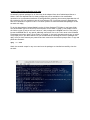
To change the DPMS duration settings edit the highlighted line “Exec=xset s off dpms 3600 7200 0”. The
durations are in seconds not minutes so multiply your desired minutes by 60. The first number (3600) is
the blank time, the second (7200) is the suspend time and the third number (0) is to disable monitor
shutdown. Entering a third number greater than the first or second will enable shutdown mode. When
you have made your changes they will not become effective until a reboot.